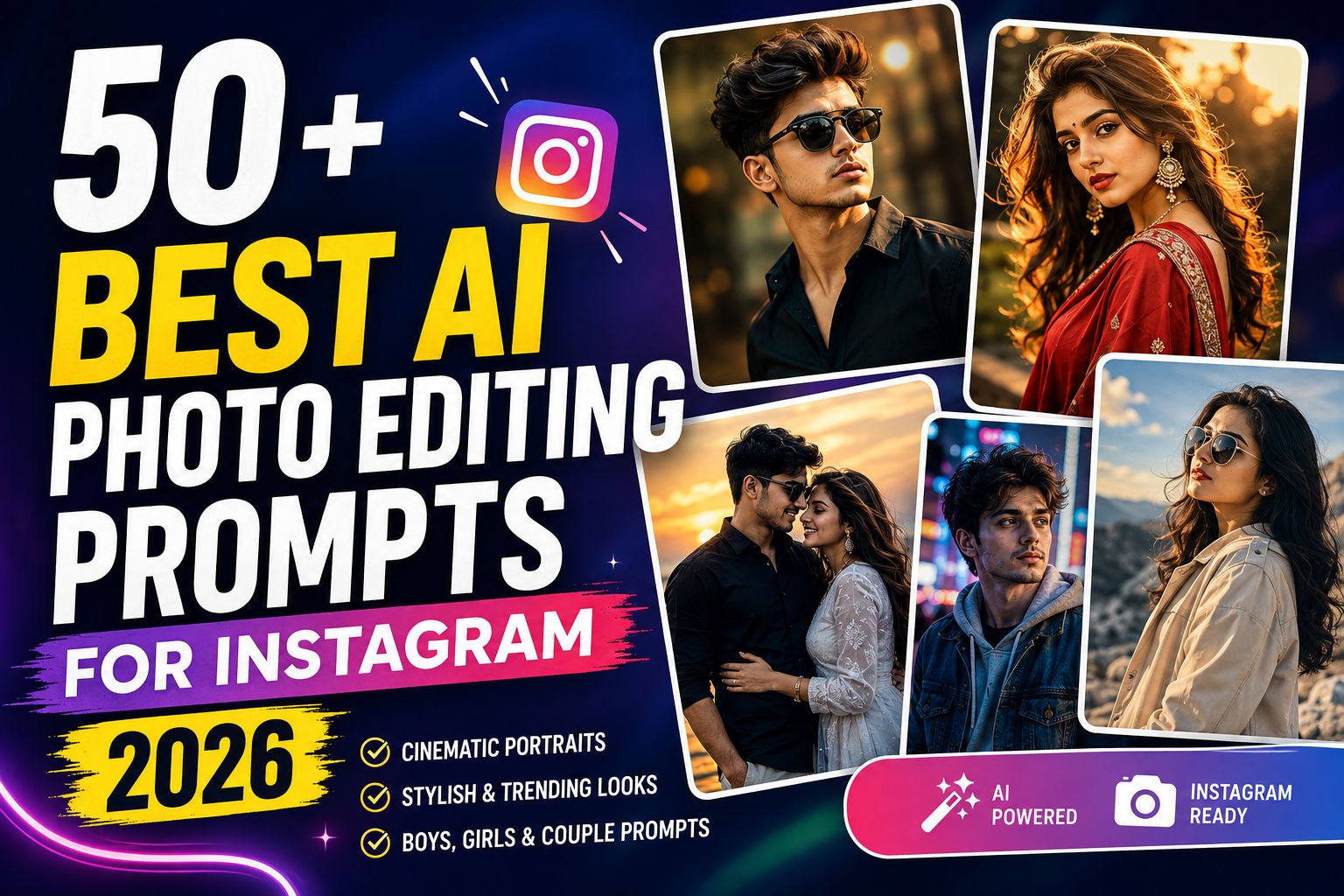
Instagram photos in 2026 are no longer limited to basic filters, brightness adjustments, or color presets. AI photo editing tools can now help transform an ordinary portrait into a cinematic, professional, vintage, luxury, or creative Instagram-ready image with just a detailed text prompt.
The difficult part is often not using the AI tool—it is knowing what to write in the prompt.
That’s why we’ve created this collection of 50+ best AI photo editing prompts for Instagram. These prompts are designed for boys, girls, couples, profile pictures, travel photos, cinematic portraits, traditional outfits, street photography, and many other popular Instagram styles.
You can use these ideas with AI tools that support image-based editing. For the best results, upload a clear photo and customize details such as outfit, background, lighting, and mood according to your preference.
What Are AI Photo Editing Prompts?
An AI photo editing prompt is a written instruction that tells an AI tool how you want your uploaded photo to look.
Instead of manually changing the background, lighting, colors, and overall atmosphere, you describe the desired result in words.
For example:
Transform the uploaded portrait into a cinematic golden-hour photograph. Keep the person’s facial identity and natural skin texture unchanged. Add warm sunlight from the side, a softly blurred outdoor background, realistic shadows, professional DSLR depth of field, and natural color grading. Maintain realistic body proportions and photographic details.
A detailed prompt usually gives the AI more direction than simply writing “make my photo cinematic.”
However, results can vary depending on the AI model, original image quality, and editing features available in the tool.
50+ Best AI Photo Editing Prompts for Instagram
Below are ready-to-use prompts covering some of the most popular Instagram photo styles.
1. Cinematic Boy Portrait Prompt
Edit the uploaded photo into a realistic cinematic portrait of a stylish young man. Preserve his facial identity, hairstyle, skin tone, and natural facial features. Give him a clean black shirt with a minimal premium look. Place him against a dark urban background with subtle warm lights and realistic depth of field. Add soft directional lighting, natural shadows, detailed skin texture, DSLR photography quality, cinematic color grading, and a vertical Instagram portrait composition.
2. Stylish Girl Portrait Prompt
Transform the uploaded photo into an elegant fashion portrait while keeping the woman’s original facial identity and natural features unchanged. Add a stylish modern outfit, soft flowing hair details, subtle makeup, and an aesthetically blurred outdoor background. Use soft natural lighting, realistic skin texture, gentle shadows, professional portrait photography, shallow depth of field, and sophisticated Instagram-style color grading.
3. Golden Hour Instagram Prompt
Edit this photo into a beautiful golden-hour portrait. Keep the face, hairstyle, body proportions, and skin tone natural. Add warm sunset light falling gently from one side of the face, soft golden highlights around the hair, realistic shadows, a blurred outdoor background, subtle lens flare, DSLR depth of field, and warm cinematic color grading.
4. Black Shirt Attitude Boy Prompt
Create a realistic Instagram attitude portrait from the uploaded image. Preserve the original face and hairstyle. Dress the person in a fitted black shirt with a clean premium appearance. Add a dark textured background, confident standing pose, subtle rim lighting, dramatic but realistic shadows, sharp facial details, natural skin texture, professional DSLR quality, and cinematic contrast.
5. Luxury Car Portrait Prompt
Transform the uploaded photo into a premium lifestyle portrait beside a modern luxury car. Keep the person’s facial identity and body proportions realistic. Add a stylish dark outfit, sophisticated outdoor location, evening city lights, realistic reflections on the car, soft cinematic lighting, shallow depth of field, professional photography details, and premium Instagram color grading.
6. Royal Enfield Bike Photo Prompt
Edit the uploaded portrait into a realistic cinematic motorcycle photograph featuring a classic-style Royal Enfield bike. Preserve the person’s face and natural appearance. Give the subject a casual black outfit and confident pose beside the motorcycle. Add a scenic road, soft sunset atmosphere, realistic motorcycle reflections, natural shadows, DSLR depth of field, and detailed cinematic photography.
7. Instagram DP Prompt for Boys
Create a clean Instagram profile picture using the uploaded photo. Preserve the original facial identity, hairstyle, beard details, and skin tone. Use a simple dark gradient background, soft studio lighting on the face, subtle rim light around the shoulders, natural skin texture, sharp eyes, realistic shadows, professional headshot quality, and a centered composition suitable for a circular Instagram profile picture.
8. Instagram DP Prompt for Girls
Turn the uploaded photo into an elegant Instagram profile picture. Keep the original face, hairstyle, and natural skin tone recognizable. Add soft studio lighting, a minimal pastel background, subtle makeup enhancement, realistic skin texture, detailed eyes, gentle shadows, professional portrait depth, and a centered composition suitable for an Instagram profile photo.
9. Rainy Street Cinematic Prompt
Transform the uploaded image into a cinematic rainy-night portrait. Preserve the person’s facial identity and realistic proportions. Place the subject on a wet city street with subtle neon reflections, light rainfall, realistic water droplets, atmospheric background lights, soft blue-hour lighting, shallow depth of field, natural shadows, and professional cinematic photography.
10. Neon Night Portrait Prompt
Edit this portrait into a modern neon-night photograph. Keep the original face and natural features unchanged. Add a city background illuminated with tasteful neon signs, realistic blue and magenta light reflections, subtle mist, detailed skin texture, cinematic shadows, shallow depth of field, realistic photography, and a premium Instagram aesthetic.
11. White Shirt Minimal Portrait
Create a clean minimal portrait from the uploaded photo. Preserve facial identity and body proportions. Dress the subject in a crisp white shirt and place them against a simple neutral background. Use soft window lighting, realistic shadows, natural skin texture, subtle contrast, DSLR portrait depth, and clean editorial photography.
12. Mountain Travel Portrait
Transform the uploaded photo into a realistic travel portrait in a beautiful mountain landscape. Keep the face and body appearance natural. Add distant mountains, a scenic valley, soft morning sunlight, realistic atmospheric depth, natural shadows, detailed clothing, DSLR photography, and vibrant but realistic travel color grading.
13. Beach Instagram Photo Prompt
Edit the uploaded image into a beautiful beach portrait. Preserve the original facial identity and realistic skin tone. Add a clean tropical beach, gentle ocean waves, soft sunset sky, natural wind movement in the clothing and hair, warm lighting, realistic shadows, professional depth of field, and Instagram travel photography quality.
14. Coffee Shop Aesthetic Prompt
Create a cozy café portrait using the uploaded photo. Keep the person’s original facial features and natural appearance. Place the subject inside a modern coffee shop with warm wooden interiors, subtle background lights, a coffee cup on the table, soft window lighting, shallow depth of field, warm natural tones, and realistic lifestyle photography.
15. Vintage Film Portrait Prompt
Transform this photo into a realistic vintage film-style portrait while preserving the person’s identity. Add subtle film grain, slightly faded colors, gentle highlights, soft shadows, an old-street atmosphere, authentic analog photography character, and natural skin details without excessive artificial smoothing.
16. Professional Headshot Prompt
Convert the uploaded photo into a professional headshot. Preserve the person’s exact facial identity and natural appearance. Use a clean neutral background, formal smart-casual clothing, balanced studio lighting, realistic skin texture, sharp eyes, subtle shadows, professional camera quality, and a polished but natural appearance.
17. Street Style Fashion Prompt
Transform the uploaded image into an urban street-fashion portrait. Keep the person’s original face and natural proportions. Add stylish casual clothing, a modern city street, realistic buildings, soft daylight, shallow depth of field, natural shadows, detailed fabric textures, and contemporary editorial photography.
18. Gym Fitness Portrait Prompt
Edit the uploaded photo into a professional fitness portrait. Preserve facial identity and realistic body proportions. Place the subject inside a modern gym with subtle equipment visible in the background. Use dramatic side lighting, realistic muscle definition appropriate to the original body, natural shadows, detailed textures, and high-quality fitness photography.
19. Black and White Portrait Prompt
Convert the uploaded portrait into an artistic black-and-white photograph. Keep all original facial features recognizable. Use dramatic directional lighting, deep but detailed shadows, realistic skin texture, sharp eyes, subtle film grain, professional monochrome contrast, and classic portrait photography.
20. Rooftop Sunset Portrait
Create a cinematic rooftop portrait during sunset. Preserve the subject’s facial identity and natural body proportions. Add a distant city skyline, warm sunset sky, subtle wind movement, golden rim lighting, realistic shadows, shallow depth of field, and professional Instagram photography.
AI Photo Editing Prompts for Girls
21. Red Saree Cinematic Portrait
Transform the uploaded photo into an elegant cinematic portrait featuring a beautiful red saree with tasteful traditional detailing. Preserve the woman’s original facial identity, hairstyle, skin tone, and natural proportions. Add soft golden lighting, subtle traditional jewelry, a sophisticated blurred background, realistic fabric texture, gentle shadows, and professional portrait photography.
22. Black Saree Portrait Prompt
Edit the uploaded image into an elegant black saree portrait while maintaining the person’s facial identity. Add subtle silver jewelry, sophisticated styling, a dark neutral background, soft side lighting, realistic fabric folds, natural skin texture, shallow depth of field, and cinematic portrait quality.
23. Traditional Indian Look Prompt
Create a graceful traditional Indian portrait from the uploaded photo. Preserve the woman’s original facial features and skin tone. Add an elegant traditional outfit, subtle earrings, a small bindi, natural makeup, warm indoor lighting, realistic textile details, soft background blur, and professional photography.
24. Pink Saree Outdoor Prompt
Transform the uploaded image into a natural outdoor portrait with an elegant pink saree. Keep the face and body proportions unchanged. Add a scenic background, soft morning light, gentle fabric movement, natural skin texture, realistic shadows, shallow depth of field, and clean editorial photography.
25. Floral Garden Portrait
Edit the uploaded photo into a bright garden portrait surrounded by natural flowers and greenery. Preserve the original facial identity. Add soft daylight, realistic flowers, subtle background bokeh, natural hair movement, accurate skin tones, gentle shadows, and professional DSLR portrait quality.
26. Princess-Inspired Portrait
Create an elegant royal-inspired portrait from the uploaded photo. Preserve facial identity and realistic proportions. Add a sophisticated flowing gown, tasteful jewelry, a luxurious palace-inspired interior, soft warm lighting, realistic fabric details, gentle shadows, and premium editorial photography.
27. Soft Pastel Portrait
Transform this image into a soft pastel Instagram portrait. Keep the person’s original face recognizable and realistic. Use a light pastel background, gentle natural lighting, subtle styling, realistic skin texture, soft shadows, clean highlights, and a bright editorial photography aesthetic.
28. Mirror Selfie Enhancement Prompt
Enhance the uploaded mirror selfie while preserving the person’s face, pose, outfit, and realistic body proportions. Improve lighting, background cleanliness, sharpness, skin tones, and overall image balance. Add subtle depth and professional color correction without making the photo look artificially generated.
29. College Girl Aesthetic Prompt
Transform the uploaded photo into a casual college lifestyle portrait. Preserve the woman’s natural face and proportions. Add a simple fashionable outfit, backpack, modern campus background, soft daylight, realistic shadows, subtle background blur, and authentic lifestyle photography.
30. Elegant Night Portrait
Edit the uploaded photo into an elegant evening portrait. Keep the original facial identity and natural skin tone. Add a sophisticated outfit, warm city lights in the background, realistic bokeh, soft face lighting, detailed shadows, shallow depth of field, and premium night photography.
Couple AI Photo Editing Prompts
31. Romantic Sunset Couple Prompt
Transform the uploaded couple photo into a natural romantic sunset portrait. Preserve both people’s facial identities, skin tones, and realistic body proportions. Add a warm sunset background, subtle golden rim lighting, natural poses, realistic shadows, shallow depth of field, and cinematic photography.
32. Couple Beach Portrait
Edit the uploaded couple photo into a realistic beach portrait. Keep both faces recognizable and natural. Add soft ocean waves, golden-hour sunlight, gentle wind movement, realistic clothing textures, natural shadows, warm tones, and professional travel photography.
33. Traditional Indian Couple Prompt
Create an elegant traditional Indian couple portrait while preserving both people’s facial identities. Add coordinated traditional outfits, tasteful accessories, warm festive lighting, realistic fabric details, a sophisticated traditional background, natural skin texture, and professional portrait quality.
34. Wedding Couple Portrait
Transform the uploaded couple photo into an elegant wedding-style portrait. Preserve both faces and natural proportions. Add sophisticated wedding outfits, tasteful floral decorations, warm ambient lighting, realistic fabric and jewelry details, natural skin texture, and premium wedding photography.
35. Rainy Couple Portrait
Create a cinematic rainy-day couple portrait using the uploaded image. Preserve both people’s identities and natural proportions. Add gentle rainfall, a wet street with realistic reflections, soft atmospheric lighting, natural interaction, subtle background blur, and cinematic photography.
Creative Instagram AI Prompts
36. Moody Dark Portrait
Create a realistic moody portrait with a dark minimal background, controlled side lighting, natural skin texture, deep shadows with visible detail, subtle highlights, sharp facial features, shallow depth of field, and professional cinematic photography.
37. Blue Hour Portrait
Transform the uploaded photo into a realistic blue-hour portrait. Preserve facial identity and natural proportions. Add a deep blue evening sky, distant city lights, soft cool ambient lighting, natural shadows, realistic skin tones, and cinematic depth of field.
38. Luxury Hotel Portrait
Place the subject naturally inside a premium modern hotel environment while preserving their facial identity and proportions. Add elegant interior lighting, realistic reflections, sophisticated furniture, shallow depth of field, natural shadows, and editorial lifestyle photography.
39. Airport Travel Look
Transform the uploaded photo into a modern airport travel portrait. Keep the person’s face and body realistic. Add stylish travel clothing, suitcase, contemporary airport architecture, natural indoor lighting, realistic reflections, and clean lifestyle photography.
40. Snow Portrait Prompt
Edit the uploaded image into a realistic winter portrait. Preserve facial identity and body proportions. Add a snowy mountain environment, warm winter clothing, subtle falling snow, natural cold-weather lighting, realistic shadows, visible environmental depth, and professional travel photography.
41. Forest Cinematic Portrait
Create a cinematic portrait in a lush green forest. Preserve the subject’s face and natural appearance. Add soft sunlight filtering through trees, realistic foliage, gentle atmospheric depth, natural shadows, shallow depth of field, and detailed DSLR photography.
42. City Crosswalk Portrait
Transform the uploaded image into a modern street portrait at a busy city crosswalk. Preserve facial identity. Add realistic urban buildings, subtle pedestrian movement in the distance, natural daylight, cinematic depth of field, accurate shadows, and editorial street photography.
43. Studio Fashion Portrait
Create a professional studio fashion portrait while keeping the person’s original face recognizable. Add a minimal studio backdrop, stylish outfit, controlled softbox lighting, realistic fabric texture, clean shadows, sharp details, and magazine-style photography.
44. Casual Hoodie Portrait
Transform the uploaded photo into a relaxed streetwear portrait. Preserve the person’s face and natural proportions. Add a stylish oversized hoodie, simple urban background, soft cloudy daylight, realistic clothing textures, shallow depth of field, and contemporary Instagram photography.
45. Nature Portrait Prompt
Edit the uploaded photo into a peaceful nature portrait. Preserve the subject’s facial identity and skin tone. Add green hills, natural vegetation, soft morning sunlight, realistic atmospheric depth, subtle background blur, and balanced natural colors.
More Trending Instagram Photo Prompts
46. Festival Lights Portrait
Transform the uploaded image into a warm festive portrait. Preserve facial identity and natural proportions. Add tasteful decorative lights, traditional styling, warm ambient illumination, realistic bokeh, detailed clothing textures, natural skin tones, and professional festive photography.
47. Diwali-Inspired Portrait
Create an elegant Diwali-inspired portrait from the uploaded photo. Preserve the person’s facial identity. Add traditional clothing, tasteful diyas and decorative lights in the background, warm golden illumination, realistic shadows, subtle bokeh, and premium festive photography.
48. Holi-Inspired Portrait
Transform the uploaded photo into a joyful Holi-inspired portrait. Preserve the person’s recognizable facial features. Add vibrant colored powder naturally around the scene, festive outdoor atmosphere, realistic daylight, detailed color particles, natural skin texture, and dynamic photography.
49. Monsoon Portrait
Create a realistic monsoon portrait from the uploaded image. Keep the original facial identity unchanged. Add cloudy weather, gentle rain, wet surroundings, realistic reflections, soft natural lighting, atmospheric depth, and cinematic color grading.
50. Luxury Black Background Portrait
Transform the uploaded photo into a premium studio portrait against a deep black background. Preserve the face, hairstyle, and natural skin tone. Add controlled side lighting, subtle rim light, realistic shadows, detailed skin texture, sharp eyes, and professional high-end portrait photography.
51. DSLR Bokeh Portrait
Edit the uploaded image to resemble a professionally photographed DSLR portrait. Keep facial identity and body proportions natural. Add realistic optical background blur, sharp focus on the eyes, natural skin texture, balanced exposure, realistic lighting, subtle color grading, and authentic lens depth.
52. Instagram Reels Cover Portrait
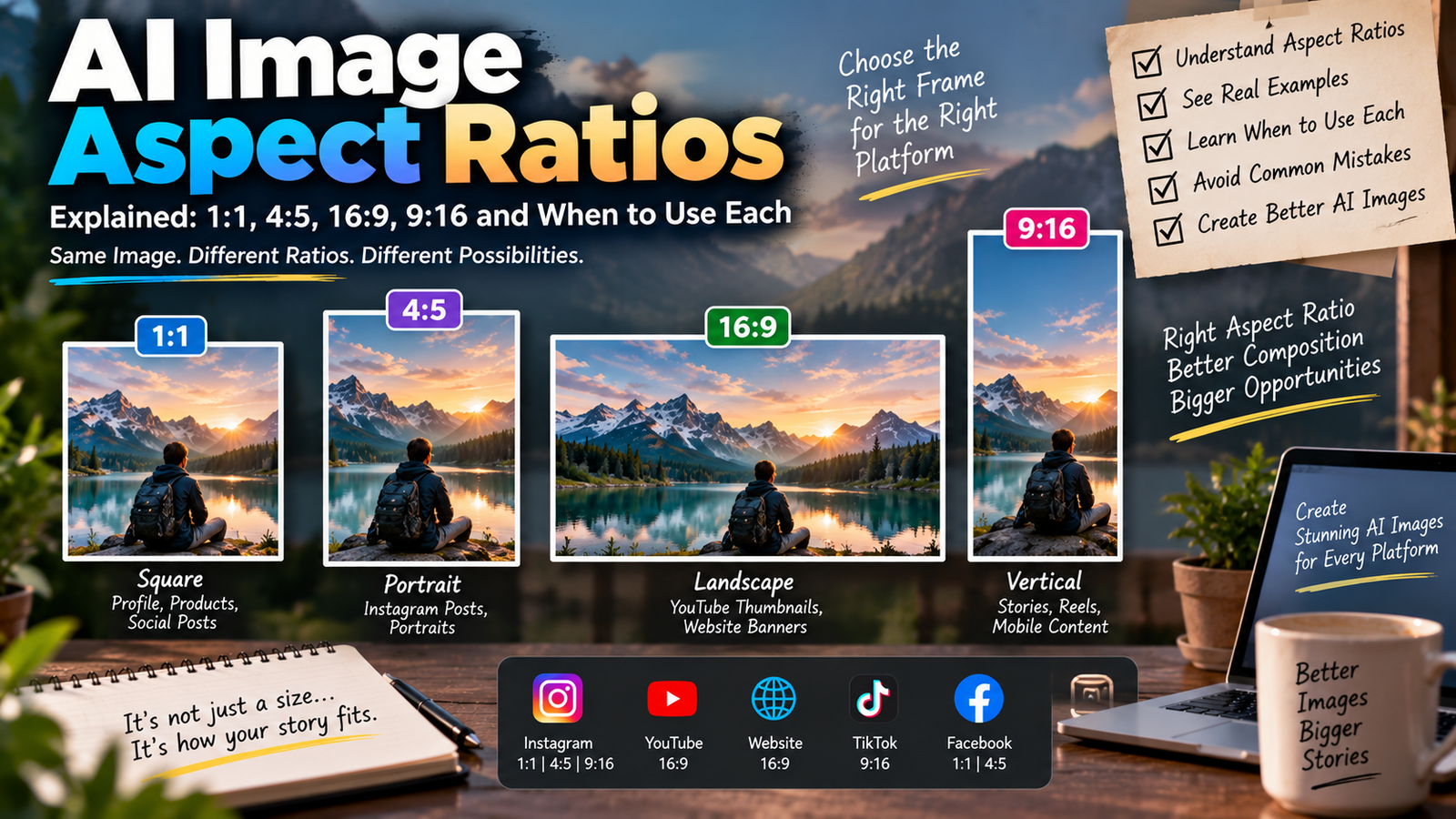
Create a vertical portrait suitable for an Instagram Reels cover. Preserve the subject’s facial identity. Keep the person clearly positioned near the center with enough clean space for adding headline text later. Use cinematic lighting, sharp facial details, subtle background blur, realistic colors, and a clean social-media composition.
53. Soft Sunlight Window Portrait
Transform the uploaded image into a natural indoor portrait illuminated by soft sunlight through a nearby window. Preserve facial identity and skin tone. Add realistic light-and-shadow patterns, neutral interior colors, detailed skin texture, shallow depth of field, and calm lifestyle photography.
54. Modern Office Portrait
Create a professional lifestyle portrait in a modern office. Preserve the person’s face and realistic proportions. Add smart-casual clothing, a clean contemporary workspace, soft window lighting, realistic background blur, natural skin tones, and polished professional photography.
55. Cinematic Road Portrait
Transform the uploaded photo into a cinematic portrait on a scenic open road. Preserve facial identity, hairstyle, and body proportions. Add dramatic distant scenery, soft sunset lighting, realistic road perspective, natural shadows, subtle atmospheric haze, shallow depth of field, and film-inspired color grading.
How to Use AI Photo Editing Prompts
Using these AI photo editing prompts for Instagram is simple, although the exact options depend on the AI tool you choose.
Start with a clear, well-lit photo where your face is visible. Upload it to an AI tool that supports image editing or image-to-image generation. Copy one of the prompts above and modify details such as clothing, location, lighting, or mood before generating your edit.
For example, instead of using the Golden Hour prompt exactly as written, you could change “outdoor background” to “mountain viewpoint” or “city rooftop.”
This small amount of customization can help make your results less repetitive.
How to Get More Realistic AI Photo Edits
A good prompt helps, but your source image matters just as much.
Use a photo with a clear face and avoid heavily compressed screenshots whenever possible. Tell the AI explicitly to preserve facial identity, skin tone, hairstyle, and realistic body proportions when those details matter.
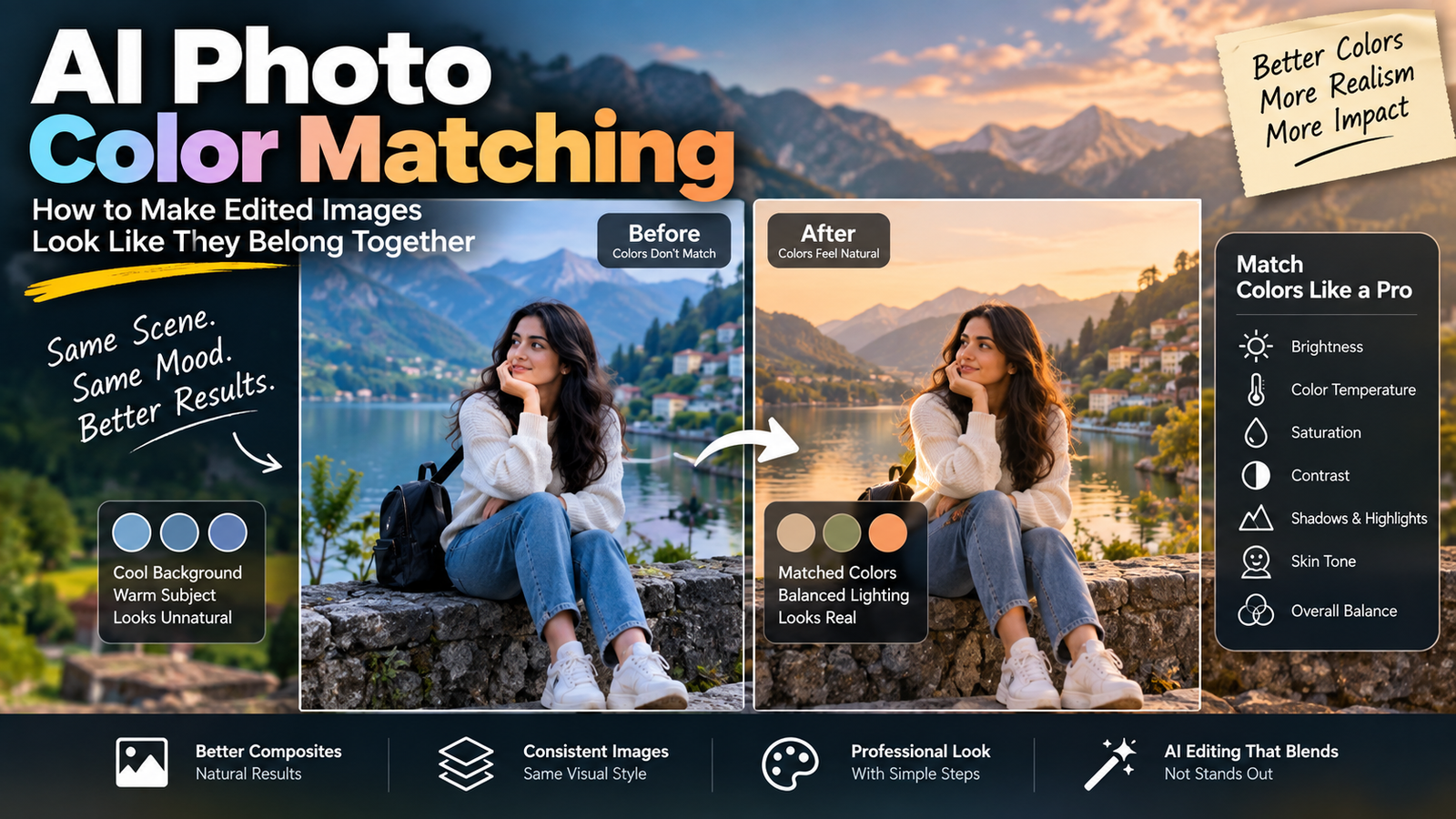
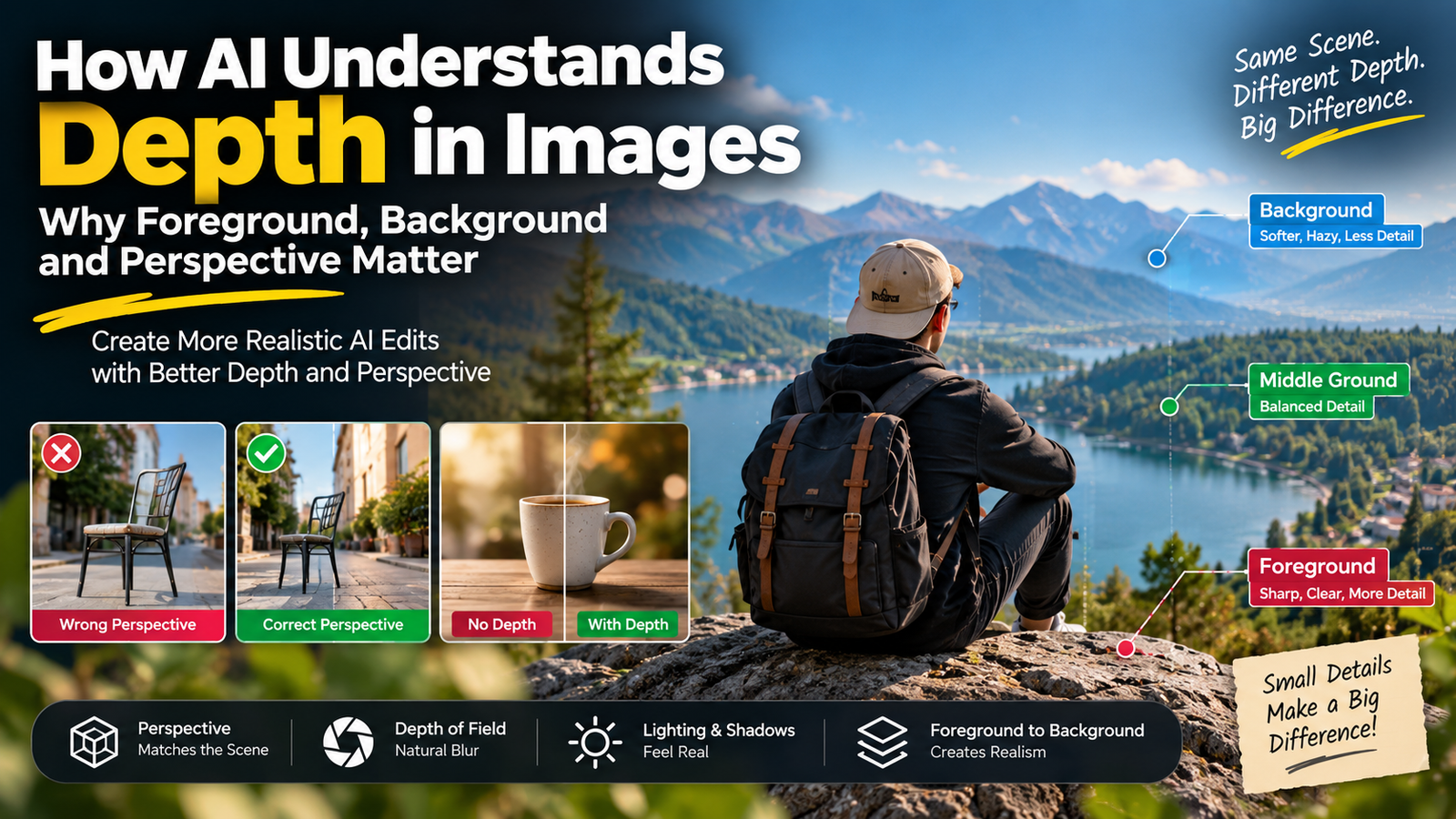
Lighting instructions are also important. Terms such as soft natural light, golden-hour lighting, window light, studio lighting, realistic shadows, shallow depth of field, and DSLR portrait photography give the model useful visual direction.
Avoid stuffing dozens of conflicting styles into one prompt. Asking for a “dark cinematic bright pastel vintage futuristic natural portrait” at the same time can produce inconsistent results.
A focused description is usually more useful.
Why Does AI Sometimes Change the Face?
This is one of the most common problems with AI photo editing.
Generative AI does not necessarily treat an uploaded face like a traditional photo editor would. Depending on the model and editing mode, it may reconstruct parts of the image, which can alter facial details.
Adding instructions such as:
Preserve the original facial identity, face shape, eyes, nose, hairstyle, skin tone, and recognizable facial features.
can help communicate your intention, although no prompt can guarantee perfect identity preservation with every model.
If the first result looks unnatural, try simplifying the prompt rather than repeatedly adding more instructions.
How to Customize These Prompts for Your Instagram Style
You don’t have to copy every prompt word for word.
Think of each prompt as a starting template. You can replace individual elements to create your own version.
For example:
Outfit: black shirt → denim jacket → white kurta
Location: city street → rooftop → mountain road
Lighting: sunset → soft morning → neon night
Mood: cinematic → minimal → luxury → vintage
Photography: DSLR portrait → editorial fashion → film photography
This approach can turn one prompt into dozens of unique editing ideas.
Common AI Photo Editing Mistakes to Avoid
One mistake is asking the AI to change too many things simultaneously. Start with the main transformation and add only the details that actually matter.
Another common problem is overusing words such as “8K,” “ultra-realistic,” and “masterpiece.” More quality-related adjectives do not automatically produce a better photo.
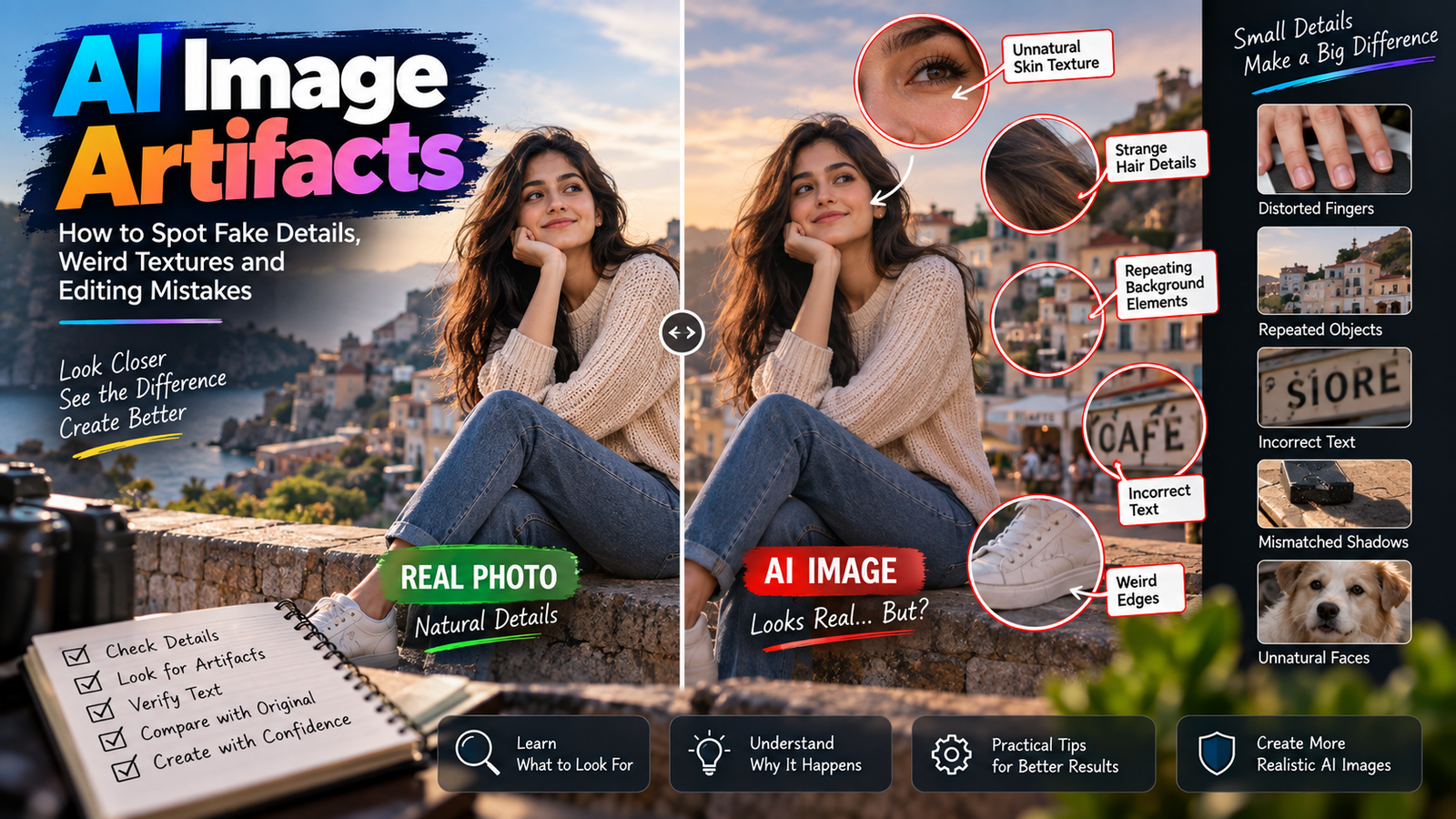
Also inspect generated photos before publishing them. Look closely at hands, fingers, jewelry, text, reflections, backgrounds, facial details, and clothing. Generative AI can still create visual mistakes.
Most importantly, don’t use AI editing to misleadingly impersonate another person or create deceptive content involving real people.
Frequently Asked Questions
What are the best AI photo editing prompts for Instagram?
The best prompt depends on the photo you want to create. Cinematic portraits, golden-hour photos, DSLR-style portraits, street photography, traditional looks, travel photos, and clean profile pictures are useful starting points. A good prompt clearly describes the subject, background, lighting, mood, and photography style.
Can I use these prompts for boys and girls?
Yes. This collection contains prompts for boys, girls, couples, professional portraits, travel photos, traditional outfits, and other Instagram styles. You can also modify clothing and styling instructions according to your photo.
Can I use these prompts with Gemini?
You can try them with Gemini features that support the relevant image-editing workflow. Feature availability and results can vary by product version and region.
Can these prompts make an AI photo look realistic?
Detailed instructions about natural lighting, skin texture, shadows, proportions, lens depth, and identity preservation can help guide an AI model toward a realistic appearance. The final quality still depends on the source image and AI model.
Why doesn’t my generated photo look like me?
Some generative image models reconstruct facial details during editing. Start with a clear photo and explicitly ask the model to preserve your facial identity. If the result still changes significantly, try a simpler edit or another supported editing mode.
Are these AI photo editing prompts free to use?
The prompts on this page can be copied and customized for your own edits. Whether image generation or editing itself is free depends on the AI service you use.
Final Thoughts
AI editing makes it possible to experiment with many Instagram styles without manually creating every effect from scratch. The key is to use AI as an editing tool rather than expecting a few generic words to create the perfect photograph.
These 50+ best AI photo editing prompts for Instagram give you starting points for cinematic portraits, boys and girls photos, couples, travel images, traditional looks, professional headshots, profile pictures, and creative Instagram edits.
Try a prompt that matches your original photo, customize two or three details, and compare different generations. Small changes in lighting, location, clothing, and composition can make a surprisingly large difference.
As AI image tools continue to evolve throughout 2026, editing features and results may change—but learning how to describe the image you actually want will remain the most useful skill.