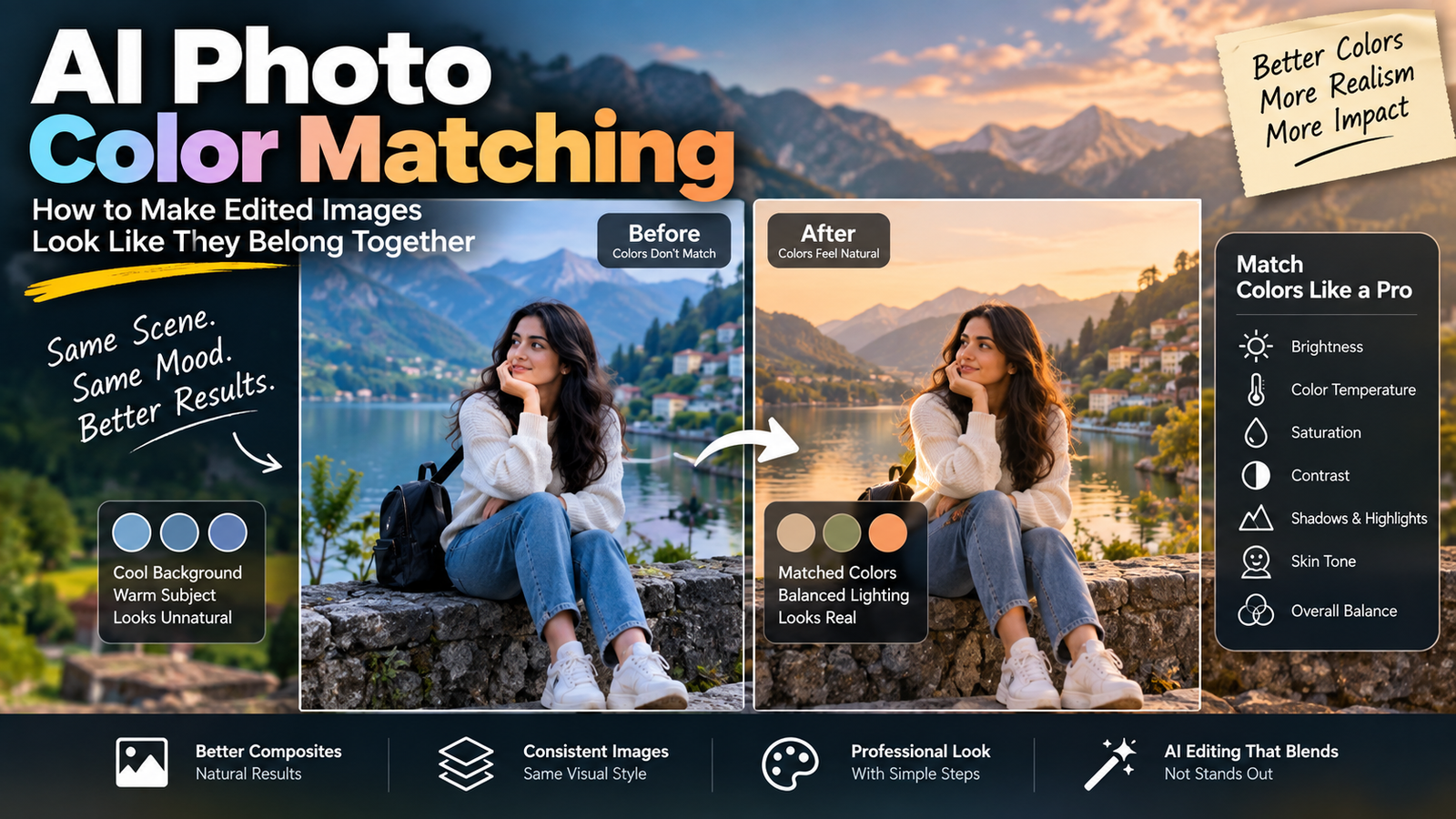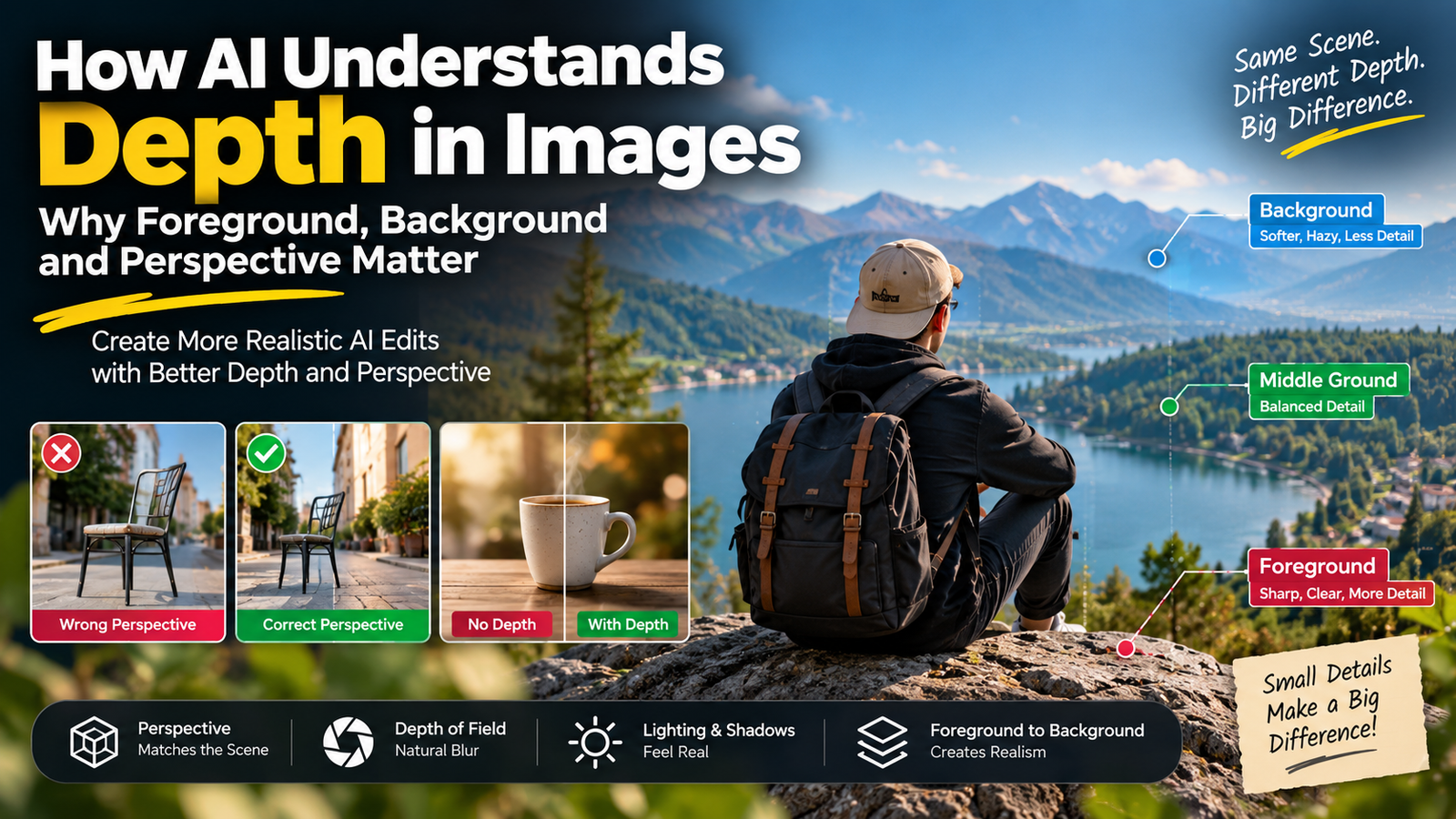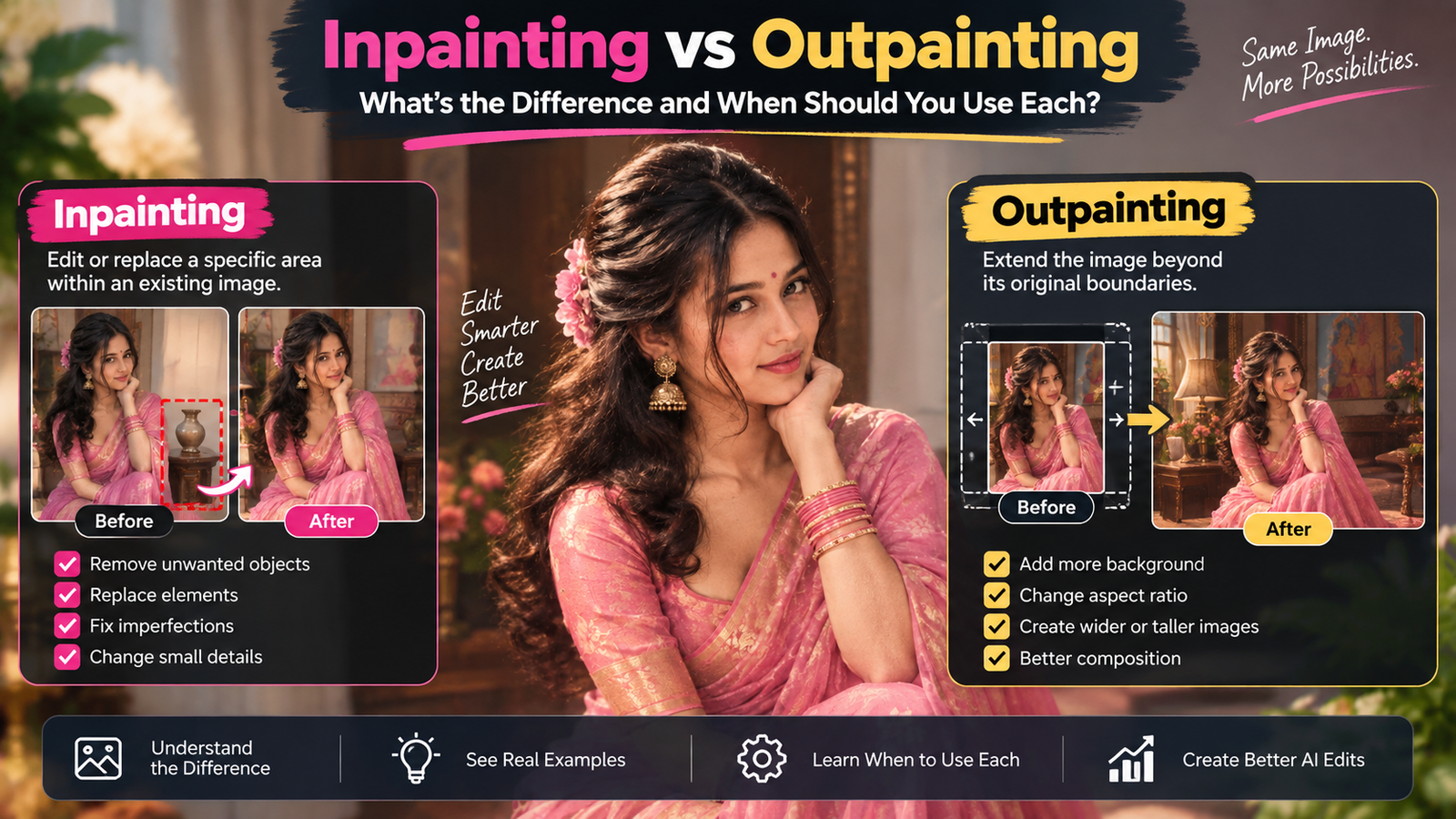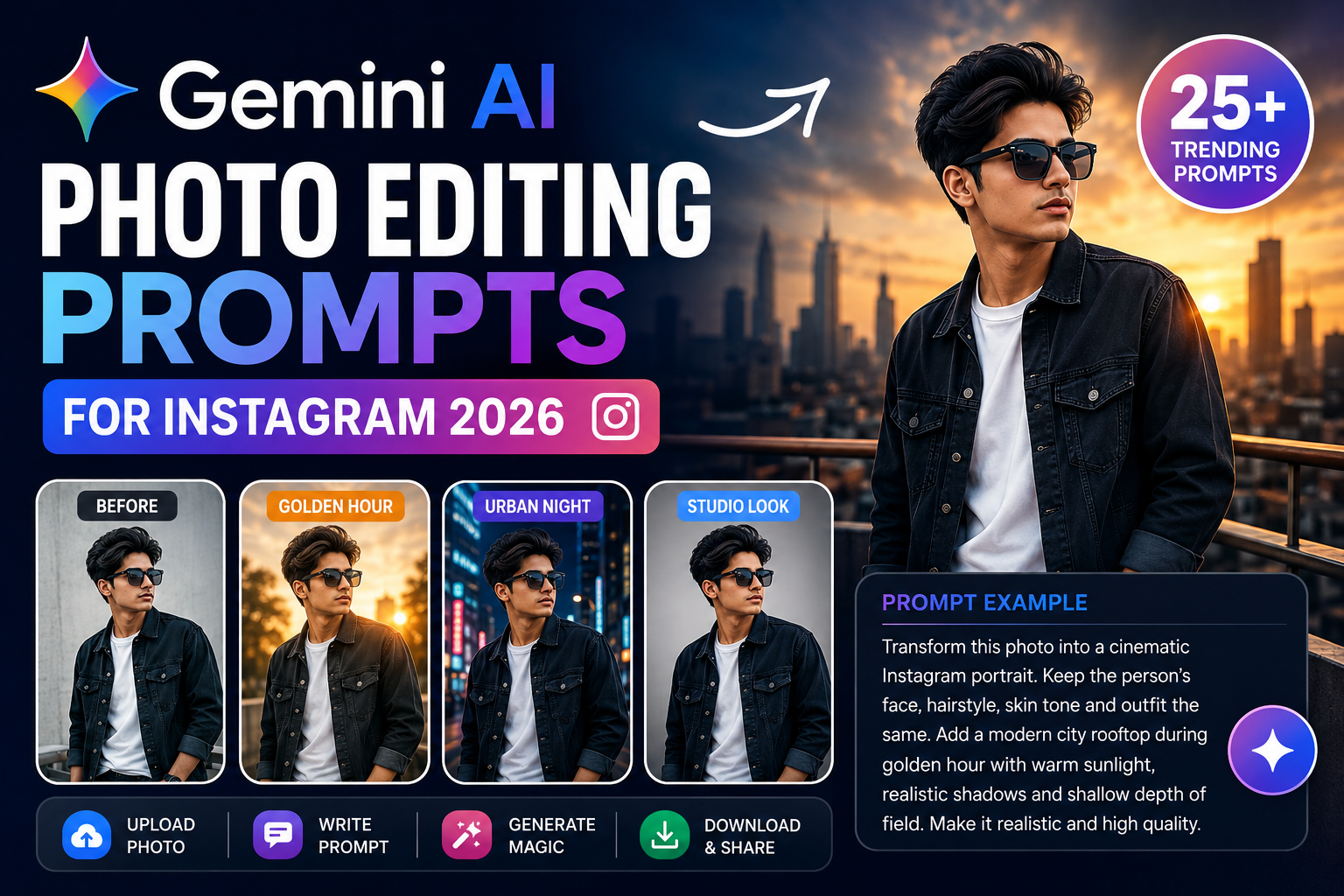
Instagram photos ko professional look dene ke liye har baar expensive editing software ki zarurat nahi hoti. Gemini AI photo editing prompts ki help se aap apni existing photo ko cinematic portrait, luxury fashion shot, travel photo, street-style portrait, golden-hour image aur kai other creative styles mein transform kar sakte hain.
Gemini mein aap ek existing image upload karke usme specific changes ke liye natural-language instructions de sakte hain. Current Gemini image tools also support local edits, multiple image references and improved character consistency, although available features can vary by account, location and age requirements.
Is guide mein aapko 25+ original Gemini AI photo editing prompts for Instagram milenge jo boys, girls, couples, travel photos aur profile pictures ke liye use kiye ja sakte hain.
What Are Gemini AI Photo Editing Prompts?
Gemini AI photo editing prompts are detailed text instructions that tell Gemini how you want an existing photo to be changed.
For example, instead of simply writing:
“Make my photo cinematic.”
You can write:
“Edit the uploaded portrait into a cinematic evening photograph. Keep the person’s facial identity, hairstyle, skin tone and body proportions unchanged. Replace the background with a modern city street illuminated by subtle warm and cool lights. Add realistic shadows, natural skin texture and shallow depth of field. Keep the final image photorealistic.”
The second prompt gives Gemini much more visual information, making the desired result clearer.
Why Use Gemini for Instagram Photo Editing?
Gemini can be useful when you want to experiment with different visual concepts without manually adjusting every element.
You can use prompts to request changes such as:
| Photo Editing Goal | What You Can Ask Gemini To Change |
|---|---|
| Background | Replace a simple background with a city, beach or studio |
| Lighting | Add golden-hour, soft or cinematic lighting |
| Outfit | Change clothing while preserving the subject |
| Color | Apply a specific visual mood |
| Portrait | Create a professional portrait look |
| Travel | Place the subject in a new environment |
| Objects | Remove selected background distractions |
| Composition | Request a close-up, medium shot or wider framing |
| Style | Create cinematic, editorial or vintage aesthetics |
| Social Media | Create a composition suitable for Instagram |
Google recommends making image prompts specific by describing the subject, composition, action, location, style and editing instructions.
25+ Gemini AI Photo Editing Prompts for Instagram
Below are original prompts designed around different Instagram photo styles.
1. Cinematic Instagram Portrait Prompt
“Transform the uploaded photo into a cinematic Instagram portrait. Keep the person’s exact facial identity, hairstyle, natural skin tone and body proportions unchanged. Place the subject in a modern urban environment during blue hour with subtle city lights in the background. Use realistic cinematic lighting, natural shadows, detailed skin texture and shallow depth of field. Keep the final photograph realistic and professionally composed.”
2. Golden Hour Portrait Prompt
“Edit this photo into a warm golden-hour portrait. Keep the person’s face, hairstyle, skin tone, clothing and body proportions unchanged. Place the subject outdoors shortly before sunset with soft sunlight coming from the side. Add natural highlights, realistic shadows and subtle background blur. Make the image look like an authentic professional photograph rather than an AI-generated image.”
3. Luxury Fashion Instagram Prompt
“Turn this uploaded portrait into a luxury fashion editorial photograph. Preserve the person’s facial identity and natural appearance. Place the subject in front of modern luxury architecture with sophisticated ambient lighting. Give the image a premium fashion-magazine aesthetic with realistic fabric details, controlled shadows and professional composition. Avoid excessive skin smoothing.”
4. Urban Street Style Prompt
“Transform the uploaded photo into a stylish urban street portrait. Keep the subject’s face, hairstyle, skin tone and body proportions unchanged. Place the subject on a modern city street with realistic buildings, subtle traffic lights and evening ambience in the background. Add natural depth of field and cinematic color grading while maintaining realistic skin texture.”
5. Minimal Studio Portrait
“Convert this photo into a professional minimalist studio portrait. Keep the person’s identity and facial features unchanged. Replace the background with a clean neutral studio backdrop. Use soft directional lighting, subtle shadows and realistic skin texture. Keep the composition simple, elegant and suitable for an Instagram profile.”
6. Black Outfit Fashion Prompt
“Change only the person’s outfit to a sophisticated all-black fashion look while preserving the face, hairstyle, pose, body proportions and original identity. Place the subject in a modern architectural environment with soft evening light. Make the clothing texture realistic and ensure the new outfit fits naturally with the existing pose.”
7. Rainy Night Instagram Prompt
“Transform this image into a realistic rainy-night city portrait. Keep the person’s face, hairstyle, skin tone and identity unchanged. Add a wet urban street, subtle reflections on the ground and soft city lights in the background. Use realistic rain, natural shadows and cinematic lighting without changing the person’s facial features.”
8. Beach Sunset Prompt
“Place the subject from the uploaded photo on a peaceful beach during sunset. Preserve the person’s exact facial identity, hairstyle, skin tone and body proportions. Add warm sunset light, realistic ocean reflections, soft wind movement and natural shadows. Make the result look like a real travel photograph captured on a professional camera.”
9. Luxury Car Portrait Prompt
“Edit the uploaded photo into a premium lifestyle portrait beside a modern luxury car. Keep the person’s face, hairstyle, skin tone, pose and body proportions unchanged. Set the scene during sunset in a sophisticated urban location. Add realistic reflections on the vehicle, natural lighting and subtle background blur.”
10. Rooftop City Portrait
“Replace the background with a modern rooftop overlooking a large city skyline. Keep the subject exactly recognizable and preserve the original facial features, hairstyle, skin tone and clothing. Add warm sunset lighting, realistic architectural details and subtle depth of field. Match the lighting on the subject with the new environment.”
11. Instagram Profile Picture Prompt
“Create a clean and professional Instagram profile picture from this uploaded photo. Preserve my facial identity, natural skin tone, hairstyle and facial proportions. Use a simple modern background with soft studio lighting. Keep the face sharply focused and use natural skin texture. Make the composition suitable for a square profile image.”
12. Vintage Film Look
“Transform this photo into a realistic vintage film photograph. Preserve the person’s identity, face, hairstyle and natural skin tone. Add subtle film grain, slightly faded colors, gentle contrast and warm analog lighting. Keep the image authentic and avoid excessive filters or artificial effects.”
13. Luxury Hotel Portrait
“Place the subject inside an elegant modern hotel lobby. Keep the person’s face, hairstyle, skin tone, clothing and body proportions unchanged. Use warm architectural lighting, realistic reflections and a shallow depth of field. Make the photograph look like a professional lifestyle campaign image.”
14. Winter Fashion Prompt
“Transform this photo into a stylish winter fashion portrait. Keep the person’s facial identity and natural appearance unchanged. Add a realistic winter environment with subtle snowfall and soft overcast lighting. Dress the subject in a premium winter outfit that naturally fits the existing pose. Preserve realistic skin texture and proportions.”
15. Coffee Shop Portrait
“Turn this uploaded image into a cozy modern coffee-shop portrait. Preserve the person’s face, hairstyle and identity. Place the subject near a large window with warm natural morning light, realistic interior details and subtle background blur. Create an authentic lifestyle photography look suitable for Instagram.”
16. Mirror Selfie Enhancement
“Improve this mirror selfie while keeping the person completely recognizable. Preserve the face, hairstyle, skin tone, clothing and body proportions. Clean up distracting background elements, improve the lighting and add subtle cinematic color grading. Keep the mirror reflections physically realistic and avoid changing the person’s facial structure.”
17. Nightclub Portrait
“Transform this photo into a sophisticated nighttime portrait inside a modern lounge. Preserve the person’s exact facial identity and natural appearance. Add subtle ambient lights in the background with realistic reflections and soft contrast. Keep the subject sharply focused while creating a professional low-light photography aesthetic.”
18. Motorcycle Lifestyle Prompt
“Create a realistic motorcycle lifestyle photograph using the uploaded person as the main subject. Preserve their face, hairstyle, skin tone and body proportions. Place them beside a modern motorcycle on a scenic road during golden hour. Add realistic sunlight, road details, natural shadows and subtle background blur.”
19. Travel Influencer Portrait
“Transform this image into a professional travel influencer photograph. Keep the person’s facial identity, hairstyle, skin tone and natural proportions unchanged. Place them at a visually interesting travel destination with realistic environmental details. Use natural daylight, authentic perspective and subtle professional color grading.”
20. Rainy Window Portrait
“Create an emotional cinematic portrait with the subject standing beside a large rain-covered window. Preserve the person’s facial identity and natural appearance. Add soft indoor lighting, realistic water droplets on the glass and a blurred city background outside. Keep skin texture natural and the overall image photorealistic.”
21. Clean White Background Prompt
“Remove the existing background and replace it with a clean white studio background. Keep the person exactly recognizable, including facial features, hairstyle, clothing and body proportions. Use soft professional lighting and natural shadows beneath the subject. Make the result suitable for a professional profile or portfolio.”
22. Dramatic Black Background Portrait
“Transform this photo into a dramatic studio portrait with a dark background. Preserve the person’s facial identity, hairstyle and natural skin tone. Use a single soft directional light from the side with realistic falloff and subtle shadows. Keep the skin texture detailed and natural.”
23. Korean-Inspired Street Fashion Look
“Transform the uploaded portrait into a modern Seoul-inspired street fashion photograph. Preserve the person’s exact facial identity, hairstyle, skin tone and body proportions. Place the subject on a clean urban street with modern storefronts and subtle evening lighting. Use realistic photography, natural shadows and refined fashion styling.”
24. Professional LinkedIn + Instagram Portrait
“Create a polished professional portrait from this photo while keeping my real facial identity and natural appearance unchanged. Use a clean modern background, soft studio lighting and realistic skin texture. Keep the expression natural and confident. The final image should work for both a professional profile and Instagram.”
25. Black-and-White Cinematic Portrait
“Convert this portrait into a high-quality black-and-white cinematic photograph. Preserve the person’s exact facial identity, hairstyle and facial structure. Use dramatic directional lighting, realistic contrast and subtle film grain. Keep skin texture natural and avoid making the face look artificially smooth.”
26. Luxury Red Background Prompt
“Replace the background with a sophisticated deep-red studio environment. Keep the person’s face, hairstyle, skin tone, clothing and body proportions unchanged. Add controlled studio lighting from one side, realistic shadows and subtle depth of field. Create a premium editorial photography aesthetic without excessive retouching.”
27. Editorial Magazine Portrait
“Turn this uploaded image into a premium fashion magazine portrait. Preserve the subject’s facial identity and natural features. Use sophisticated studio lighting, clean composition, realistic clothing texture and subtle professional color grading. The result should look like an authentic editorial photograph captured by a professional photographer.”
Best Gemini Prompt Formula for Instagram Photos
If you want to create your own prompts instead of copying ready-made prompts, use this simple structure:
Subject + Change + Location + Composition + Lighting + Style + Preservation
For example:
“Edit the uploaded portrait of a young man [subject] by changing the background to a modern rooftop [change/location]. Use a medium portrait composition with the subject sharply focused [composition]. Add warm golden-hour sunlight and realistic shadows [lighting]. Create a cinematic professional photography look [style]. Keep his face, hairstyle, skin tone, clothing and body proportions unchanged [preservation].”
This structure is based on the same general principles Google recommends for more detailed image prompts.
How to Get Better Results From Gemini Photo Prompts
A good prompt doesn’t need to be unnecessarily long. It needs to be specific.
1. Clearly Explain What Should Change
If you only want to change the background, say:
“Change only the background.”
This reduces ambiguity.
2. Tell Gemini What Must Stay the Same
For portrait editing, useful instructions include:
- Keep the original facial identity.
- Preserve the hairstyle.
- Keep the natural skin tone.
- Maintain body proportions.
- Keep the original pose.
- Don’t change the clothing unless requested.
3. Describe the Lighting
Instead of writing only “make it cinematic,” describe the light:
“Soft warm sunlight coming from the left with natural shadows.”
This gives the model a clearer visual direction.
4. Specify the Composition
You can mention:
- Close-up portrait
- Medium shot
- Full-body portrait
- Wide shot
- Low-angle composition
- Eye-level portrait
- Subject centered in frame
5. Make the Background Specific
“Beautiful background” is vague.
Instead, try:
“Modern rooftop with glass railing, distant city skyline and warm sunset sky.”
Specific environmental details can make the requested scene easier to interpret.
Gemini AI Photo Editing Prompts: Quick Comparison
| Prompt Style | Best For | Main Effect |
|---|---|---|
| Golden Hour | Outdoor portraits | Warm natural light |
| Cinematic | Reels & Instagram | Film-style atmosphere |
| Luxury Fashion | Fashion posts | Editorial appearance |
| Studio | Profile photos | Clean professional look |
| Travel | Vacation photos | Destination-focused scene |
| Vintage | Creative posts | Film-inspired appearance |
| Black & White | Artistic portraits | Dramatic monochrome look |
| Street Style | Fashion content | Urban aesthetic |
| Minimal | Profile pictures | Simple and clean |
| Night Portrait | Evening posts | Moody cinematic look |
Common Mistakes When Writing Gemini Photo Editing Prompts
Using Very Short Instructions
A prompt like:
“Make this viral.”
doesn’t tell Gemini what visual changes you actually want.
Instead, describe the subject, setting, lighting and style.
Asking for Too Many Unrelated Changes
If you request a new outfit, new background, different pose, different lighting, different hairstyle and completely different composition at the same time, the result may not match your original idea.
For complicated edits, try making changes gradually.
Forgetting Preservation Instructions
If the person’s identity is important, explicitly say which features should remain unchanged.
Overusing “8K” and “Ultra HD”
Words such as “8K” or “ultra realistic” alone don’t explain what the image should look like.
Specific visual descriptions are generally more useful than repeating quality keywords.
Ignoring the Original Photo
The source image matters. A clear, well-lit photo with a visible subject gives Gemini more useful visual information than a heavily compressed or blurry image.
Can Gemini Edit an Existing Photo?
Yes. Gemini’s current image-editing workflow allows users to upload an image and ask Gemini to modify it. It can also edit images generated within Gemini and, in supported workflows, use multiple uploaded images as references.
On Android, Google currently describes the workflow as opening Gemini, going to the image/library area, selecting or uploading an image, tapping the chat option and entering an editing prompt. The exact interface can change as Gemini is updated.
Can Gemini Make Local Edits?
Yes. One of the current capabilities of Nano Banana 2 is local editing, which allows specific parts of an image to be modified rather than redesigning the entire picture.
For example:
“Remove the person standing in the far background. Keep the main subject and everything else unchanged.”
Or:
“Change only the color of the jacket from black to dark brown. Do not change the face, pose or background.”
Can You Use Multiple Photos as References?
Gemini’s current Nano Banana 2 workflow can accept multiple reference images for supported tasks. This can be useful when you want to combine elements from different images into one composition.
For example:
“Use the first image as the person reference and the second image as the background reference. Create one realistic portrait combining both references. Preserve the person’s identity and match the lighting between the subject and environment.”
Always use images you have permission to use and avoid violating another person’s privacy or copyright.
Is Gemini AI Photo Editing Free?
Gemini’s image features and usage limits can vary by account, plan, country, model and availability. Google currently documents different Nano Banana models, including Nano Banana 2 and Nano Banana Pro, with some features restricted to particular plans.
For this reason, the exact number of images or editing options available to one user may not be the same for another.
Are Gemini AI Photo Editing Prompts Safe to Use?
AI photo editing should be used responsibly. Don’t use someone’s photograph without appropriate permission, and don’t create misleading or harmful edits intended to deceive people.
Google also reminds users that generated content should not violate copyright or privacy rights.
For your own Instagram content, the safest approach is to use your own photographs or images you have permission to edit.
Frequently Asked Questions
What is the best prompt for Gemini photo editing?
There isn’t one universal best prompt. A strong prompt clearly describes the desired subject, environment, composition, lighting, style and specific edits while explaining what should remain unchanged.
How do I make my photo look cinematic in Gemini?
Upload your photo and describe the cinematic elements you want, such as directional lighting, realistic shadows, shallow depth of field, controlled color grading and a specific environment.
Can Gemini change the background of a photo?
Yes. Gemini supports image editing, including asking it to make changes to uploaded images.
Can Gemini change clothes in a photo?
You can ask Gemini to change clothing in an uploaded image. For better control, describe the new outfit and explicitly ask it to preserve the person’s face, hairstyle and body proportions.
Can Gemini remove objects from a photo?
Yes. Local editing can be used for specific modifications, such as removing an unwanted object from an image.
Can Gemini edit multiple photos together?
Supported Gemini image workflows can use multiple uploaded images as references.
How do I keep my face unchanged in an AI edit?
Tell Gemini explicitly to preserve your facial identity, facial structure, hairstyle and natural skin tone. You can also request that only a specific part of the image be edited.
Why does Gemini sometimes change my face?
AI image editing can interpret a transformation broadly. More precise preservation instructions can help, but they don’t guarantee that every generated result will be identical to the source.
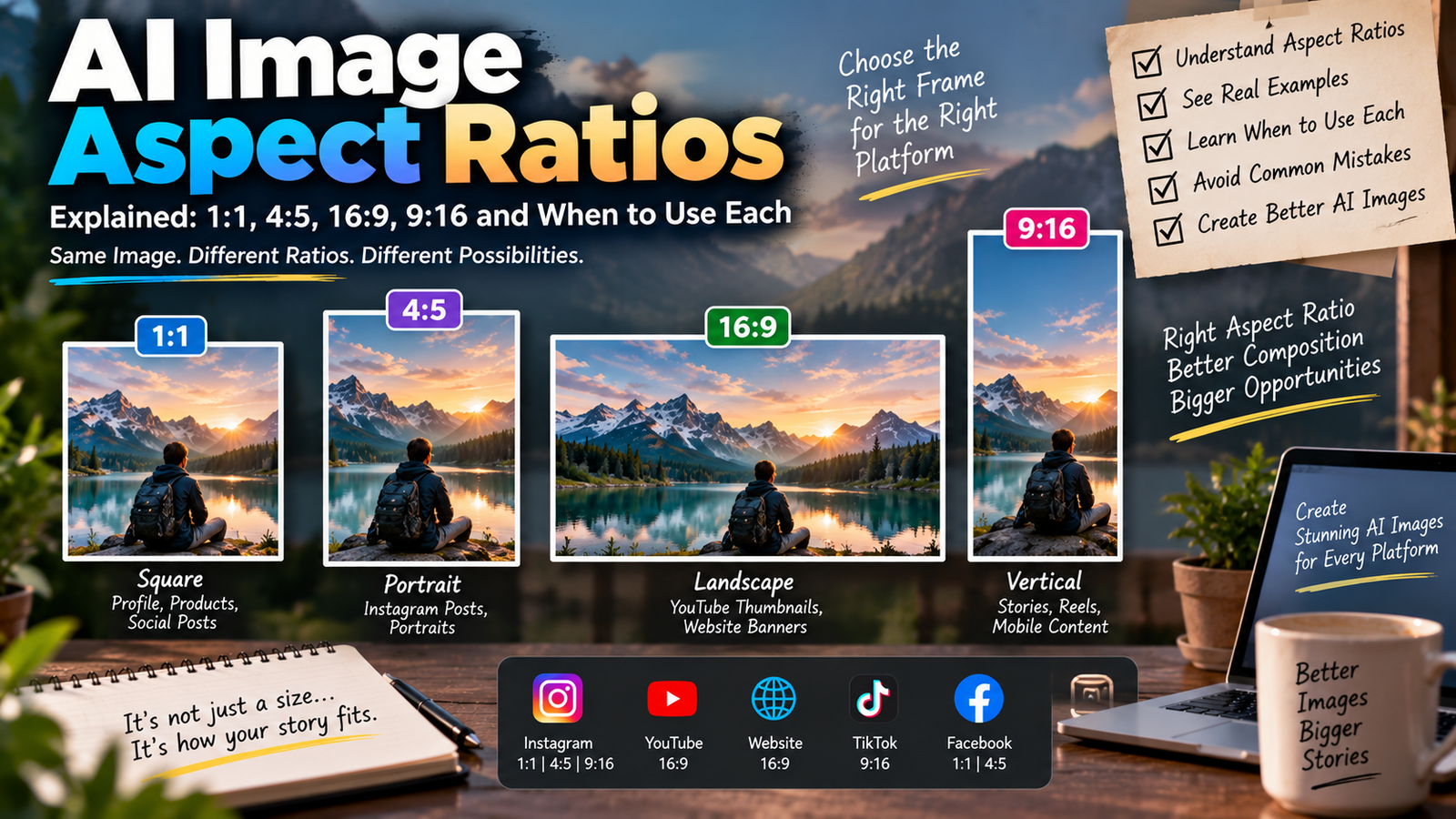
What size should an Instagram image be?
For an Instagram feed post, a vertical 4:5 composition is commonly useful because it occupies more screen space. When generating or editing, you can explicitly request a vertical composition and then crop or resize the final image if necessary.
Can I use Gemini-generated images on Instagram?
You can use generated images subject to the applicable Gemini terms, policies and rights considerations. Google specifically advises users to consider copyright and privacy before relying on or publishing generated content.
Final Thoughts
The biggest difference between an average Gemini photo edit and a controlled AI photo edit is usually the instruction.
Instead of writing a vague request, explain what you want Gemini to change, where the scene should take place, how the lighting should look and which parts of the original photo need to stay unchanged.
The 25+ Gemini AI photo editing prompts in this guide can be used as starting points for Instagram portraits, fashion photos, travel images, profile pictures and creative social media content.
You can also combine different prompt elements to create your own style. For example, take the lighting from a golden-hour prompt, the environment from a rooftop prompt and the composition from a professional portrait prompt.
That approach gives you much more flexibility than using the same generic AI photo prompt every time.
Note: Gemini’s interface, models, features and usage limits can change over time, so some menu names or options may look different depending on your account and device. Google’s official documentation should be checked for the latest availability.