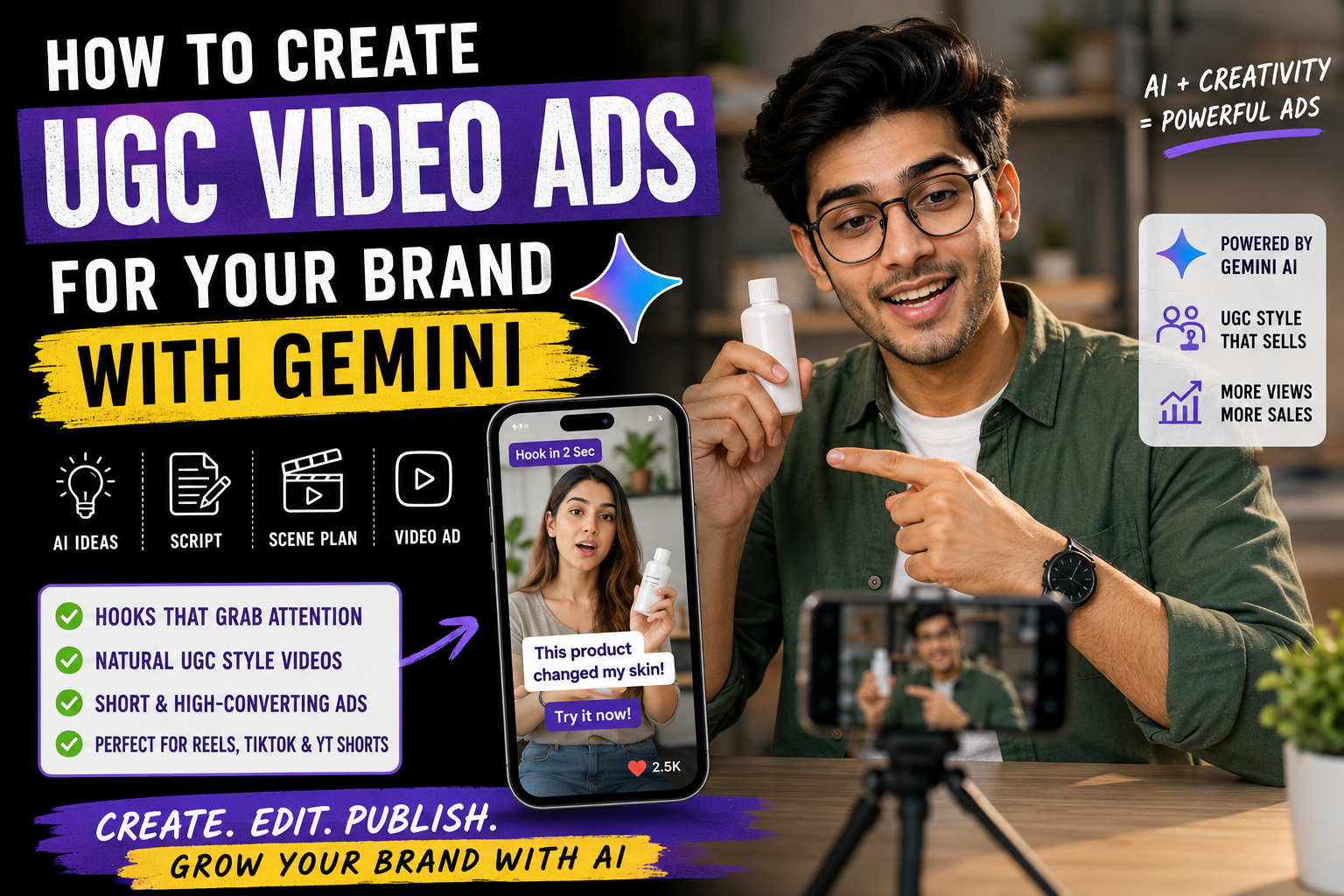
Creating professional video advertisements for a brand used to require a camera, actors, lighting equipment, editing software, and a complete production team. Today, AI tools can make the process much simpler.
If you own an online store, small business, personal brand, app, service, or social media page, you can use Google Gemini to plan and create UGC-style video ad content for your products.
UGC, or User-Generated Content, is a style of advertising that looks more natural and personal than a traditional commercial. Instead of making the video feel like a polished advertisement, the creator talks about the product as if they are genuinely recommending it to their audience.
In this guide, you’ll learn how to create a UGC video ad for your brand with Gemini, how to write the right prompt, how to create a complete video concept, and how to turn the idea into a short-form ad for Instagram Reels, TikTok, YouTube Shorts, or other social platforms.
What Is a UGC Video Ad?
A UGC video ad is a short promotional video designed to look like authentic content created by a customer or creator.
For example, instead of starting a skincare advertisement with a professional product shot and a corporate voice-over, a UGC video might begin with:
“Okay, I wasn’t expecting this to work this well…”
The creator then shows the product, explains the problem it solves, demonstrates how it works, and ends with a simple call to action.
This format works particularly well for social media because it feels closer to normal content than a traditional commercial.
A UGC-style ad can include:
- A creator talking directly to the camera
- Product demonstrations
- Before-and-after storytelling
- Unboxing
- Problem-and-solution formats
- Testimonials
- Voice-over videos
- Screen recordings
- Lifestyle footage
- Product close-ups
- Short product tutorials
Can Gemini Help Create a UGC Video Ad?
Yes, Gemini can be useful for the creative and production-planning side of a UGC advertisement.
You can give Gemini information about your brand, product, target audience, selling points, tone, and platform. It can then help you develop the ad concept, hook, script, scenes, dialogue, voice-over, captions, and shot structure.
Depending on the Gemini features and AI video capabilities available to your account and region, you may also be able to use Google’s AI video-generation tools as part of the workflow.
The important part is that you should not simply tell Gemini:
“Make an advertisement for my product.”
A much better approach is to provide detailed information about the brand and describe exactly how you want the advertisement to feel.
What You Need Before Creating Your UGC Ad
Before opening Gemini, collect a few basic details about your brand.
1. Product Name
Tell Gemini exactly what you are promoting.
2. Product Benefits
List the main benefits instead of only describing the product.
For example:
- Saves time
- Easy to use
- Lightweight
- Affordable
- Beginner-friendly
- Convenient for travel
3. Target Audience
Explain who should buy the product.
For example:
“The target audience is Indian college students aged 18–25 who want affordable skincare products.”
4. Brand Personality
Decide whether your brand should feel:
- Friendly
- Premium
- Funny
- Energetic
- Minimal
- Trustworthy
- Youthful
- Professional
5. Video Platform
Tell Gemini where you plan to publish the advertisement.
For short-form content, you can create concepts for:
- Instagram Reels
- YouTube Shorts
- TikTok
- Facebook Reels
The Best Gemini Prompt for Creating a UGC Video Ad
The following prompt is designed to generate a complete UGC-style advertisement concept from your brand information.
Replace the information inside the brackets with your own details.
Copy-and-Paste Gemini Prompt
Act as an experienced UGC advertising creative director and short-form video scriptwriter.
I want to create a realistic UGC-style video advertisement for my brand.
Brand name: [BRAND NAME]
Product: [PRODUCT NAME]
Product category: [CATEGORY]
Main benefits: [LIST 3–5 BENEFITS]
Target audience: [TARGET AUDIENCE]
Main problem the product solves: [PROBLEM]
Brand personality: [FRIENDLY / PREMIUM / FUN / PROFESSIONAL]
Main offer: [DISCOUNT / FREE SHIPPING / SPECIAL OFFER / NONE]
Platform: Instagram Reels
Video length: 30 seconds
Create a natural, believable UGC advertisement that feels like a real creator is personally recommending the product rather than reading a corporate advertisement.
Structure the video into:
- A strong 2–3 second hook that immediately identifies the audience’s problem.
- A natural introduction of the problem.
- A simple introduction of the product.
- A realistic demonstration showing how the product is used.
- Two or three specific benefits.
- A believable personal reaction.
- A clear but non-pushy call to action.
Keep the dialogue conversational and avoid exaggerated claims, fake statistics, unrealistic promises, corporate language, and generic advertising phrases.
Then provide:
- Complete 30-second script
- Scene-by-scene breakdown
- Creator dialogue
- Voice-over lines if required
- Camera direction
- Product placement instructions
- On-screen text
- Suggested background
- B-roll ideas
- Final CTA
- Caption for Instagram
- Three alternative hooks
Make the concept feel authentic, modern, relatable, and suitable for a real social media advertisement.
How to Make the Ad Look Like Real UGC
The biggest mistake is making the video look too much like a traditional commercial.
UGC-style content usually works better when the scene feels natural.
Instead of:
“Introducing the revolutionary solution for all your skincare needs.”
Use something closer to:
“I’ve been trying to fix this problem for weeks, and I finally found something that actually fits into my routine.”
The second version feels more like a creator speaking to an audience.
Use Natural Camera Directions
Tell Gemini to create a visual style such as:
- Handheld smartphone footage
- Natural indoor lighting
- Slight camera movement
- Casual framing
- Realistic facial expressions
- Natural pauses
- Everyday environment
- Authentic product handling
Don’t intentionally make every shot perfect.
A small amount of natural movement can make an AI-generated concept feel more like social content.
Gemini Prompt for a UGC Talking-Head Ad
If you want the advertisement to focus mainly on a creator talking to the camera, use this prompt:
Create a 25–30 second UGC-style talking-head advertisement for [BRAND/PRODUCT]. The creator should speak directly to the camera in a casual and natural manner. Start with a strong attention-grabbing hook about [CUSTOMER PROBLEM]. Introduce [PRODUCT] naturally as the solution. Show the product briefly while explaining its main benefit. Use conversational language, realistic expressions, natural pauses, subtle handheld smartphone movement, and an everyday environment. Avoid polished television-commercial aesthetics, exaggerated acting, fake testimonials, unrealistic claims, and overly scripted dialogue. End with a short and clear call to action encouraging viewers to learn more about the product.
Gemini Prompt for a Product Demonstration Ad
A product demonstration can be more convincing than simply talking about the product.
Create a short UGC-style product demonstration advertisement for [PRODUCT NAME]. The video should begin with a relatable problem experienced by [TARGET AUDIENCE]. Show a creator naturally introducing the product and demonstrating how it is used. Include close-up product shots, realistic hand movements, natural lighting, casual smartphone framing, and short talking-head sections. Highlight [BENEFIT 1], [BENEFIT 2], and [BENEFIT 3]. Keep the creator’s delivery conversational and believable. Avoid exaggerated claims and unrealistic transformations. End with a concise call to action.
Gemini Prompt for an Unboxing UGC Ad
Unboxing is another useful format for products that have attractive packaging.
Create a 30-second UGC-style unboxing advertisement for [PRODUCT]. Start with the creator opening the package naturally and reacting to the product. Show the packaging, product details, important features, and first impression. Use handheld smartphone-style footage, natural room lighting, realistic movements, casual dialogue, close-up shots, and spontaneous reactions. The creator should sound genuinely interested rather than like a professional television presenter. Include a strong opening hook and finish with a simple call to action.
Create a Problem-Solution UGC Ad
This structure is useful when your product solves a clear problem.
The basic formula is:
Problem → Discovery → Product → Demonstration → Benefit → CTA
For example:
Problem:
“I was wasting so much time doing this every morning.”
Discovery:
“Then I started using this.”
Product:
“This is [product].”
Demonstration:
Show how it works.
Benefit:
“It takes me less time and is much easier.”
CTA:
“Check it out if you’re dealing with the same problem.”
This structure keeps the advertisement simple and easy to understand.
How to Create a Strong Hook With Gemini
The first few seconds are extremely important for short-form advertising.
Ask Gemini to create multiple hooks rather than choosing the first one.
Use this prompt:
Generate 15 short UGC ad hooks for [PRODUCT]. The target audience is [AUDIENCE] and the main problem is [PROBLEM]. Keep each hook under 10 words. Make them conversational, curiosity-driven, and suitable for the first 2–3 seconds of an Instagram Reel. Avoid clickbait, unrealistic claims, and generic phrases such as “you won’t believe this.” Divide the hooks into problem-based, curiosity-based, personal-experience, and product-demo categories.
You can then test different hooks while keeping the rest of the advertisement similar.
How to Turn the Script Into Scenes
Once Gemini creates the script, ask it to convert the script into individual video shots.
Use:
Convert this UGC advertisement script into a detailed shot list. For every scene, provide the duration, camera angle, creator action, dialogue, product position, background, lighting, on-screen text, and transition. Keep the total duration between 25 and 30 seconds. Make every shot simple enough to create with AI video tools or a smartphone camera.
This gives you a practical production plan instead of just a paragraph of dialogue.
Example: UGC Ad for an AI Tool
Suppose your brand sells an AI productivity tool.
You could give Gemini:
Brand: FutureFlow AI
Product: AI productivity assistant
Audience: Students and young professionals
Problem: Spending too much time organizing tasks
Main benefit: Faster task planning
Gemini could build the concept around a natural opening such as:
“I used to spend more time planning my day than actually doing it.”
The creator could then show the tool, demonstrate the workflow, explain the benefit, and finish with a simple CTA.
The important thing is not to copy this example word-for-word. Replace the product information with your actual brand details so the advertisement remains authentic.
How to Add Your Brand Naturally
One of the easiest ways to make an AI-generated advertisement look fake is to force the brand into every scene.
Instead, introduce the product naturally.
For example:
Scene 1: Creator explains the problem.
Scene 2: Creator mentions discovering the product.
Scene 3: Product appears naturally.
Scene 4: Creator demonstrates it.
Scene 5: Creator explains the main benefit.
Scene 6: Product and CTA appear at the end.
This creates a more natural story.
How to Create Different UGC Ads From One Product
You don’t need to create one advertisement and stop.
Ask Gemini to create several concepts using different angles.
Ad Angle 1: Problem-Solution
Focus on the customer’s problem and how the product helps.
Ad Angle 2: Personal Experience
Make the creator explain why they started using the product.
Ad Angle 3: Product Demonstration
Focus primarily on showing how the product works.
Ad Angle 4: Before and After
Show the starting situation and the result where appropriate and truthful.
Ad Angle 5: FAQ
Answer a common question customers have about the product.
Ad Angle 6: Comparison
Explain why someone might choose your product instead of a common alternative, without making unsupported claims.
Important Tips for AI-Generated UGC Ads
Keep Product Details Consistent
If you’re generating visuals with AI, provide clear product references whenever the tool supports them. Packaging, logos, colors, and product shape can otherwise change between scenes.
Don’t Invent Customer Reviews
If the advertisement is presented as a testimonial, don’t ask AI to invent a fake customer experience and present it as real.
Instead, create a fictional UGC-style concept or use genuine customer feedback that you have permission to use.
Avoid False Claims
Don’t tell AI to create statements such as:
- “Guaranteed results”
- “100% works for everyone”
- “Doctors recommend this” without evidence
- Fake sales numbers
- Fake awards
- Fake testimonials
Your advertisement should accurately represent your real product.
Keep the CTA Simple
A UGC advertisement doesn’t need a long ending.
Good CTA examples include:
- “Check it out.”
- “See how it works.”
- “Learn more.”
- “Try it for yourself.”
- “Visit our website.”
Choose the CTA based on the actual action you want viewers to take.
UGC Video Ad Workflow With Gemini
You can use this simple workflow for almost any product:
Step 1: Collect your product information.
↓
Step 2: Give the information to Gemini.
↓
Step 3: Generate 10–15 hooks.
↓
Step 4: Choose the strongest hook.
↓
Step 5: Generate a 20–30 second script.
↓
Step 6: Convert the script into individual scenes.
↓
Step 7: Create or record the required visuals.
↓
Step 8: Add voice, captions, product footage, and music where appropriate.
↓
Step 9: Review every claim and product detail.
↓
Step 10: Export the final vertical video and test different versions.
Best UGC Video Ad Structure for Instagram Reels
For a short advertisement, this structure is a good starting point:
| Time | Section | Purpose |
|---|---|---|
| 0–3 sec | Hook | Stop the scroll |
| 3–7 sec | Problem | Identify the audience’s pain point |
| 7–14 sec | Product | Introduce the solution |
| 14–21 sec | Demonstration | Show how it works |
| 21–26 sec | Benefit | Explain the key value |
| 26–30 sec | CTA | Tell viewers what to do next |
You can adjust the timing depending on your product and platform.
Frequently Asked Questions
Can Gemini create a complete UGC video advertisement?
Gemini can help with the creative process by developing hooks, scripts, scene ideas, dialogue, shot lists, captions, and other advertising assets. Depending on the AI video features available to you, Google’s video-generation capabilities can also be part of the visual production workflow.
Can I create a UGC ad without hiring an actor?
Yes. You can create a UGC-style concept using AI-generated visuals, a virtual presenter where appropriate, or your own recorded footage. If you use AI-generated people, avoid presenting them as genuine customers when they are not.
What length should a UGC video ad be?
For short-form social advertising, 15–30 seconds is a useful starting point. However, the ideal length depends on the product, audience, platform, and complexity of the message.
Can I use these Gemini prompts for my own business?
Yes. The prompts are templates. Replace the bracketed information with your own brand, product, audience, benefits, and offer.
Is UGC better than a traditional advertisement?
Neither format is automatically better. UGC-style advertising can feel more natural on social platforms, while traditional advertising can be useful when a brand needs a polished or highly controlled presentation. Testing different creative formats is usually the better approach.
Final Thoughts
You don’t need a large production setup to start experimenting with UGC-style advertising for your brand.
With Gemini, you can turn basic product information into a complete creative concept, generate multiple hooks, write a short script, plan individual scenes, and develop different versions of the same advertisement.
The key is to make the content feel useful and believable rather than simply asking AI to create a “viral ad.”
Start with a real customer problem, introduce your product naturally, demonstrate its genuine benefits, and finish with a clear call to action. Then test multiple hooks and creative angles to discover which version works best for your audience.
For brands that regularly publish Instagram Reels, Shorts, or other short-form content, this workflow can make the process of developing new UGC-style ad concepts much faster.