Coming up with fresh content every day sounds easy until you actually have to do it.
You may have one good idea for an Instagram Reel, YouTube Short, blog post, or social media campaign, but after publishing it, the next question appears: What should I post tomorrow?
This is where AI can make content planning much easier.
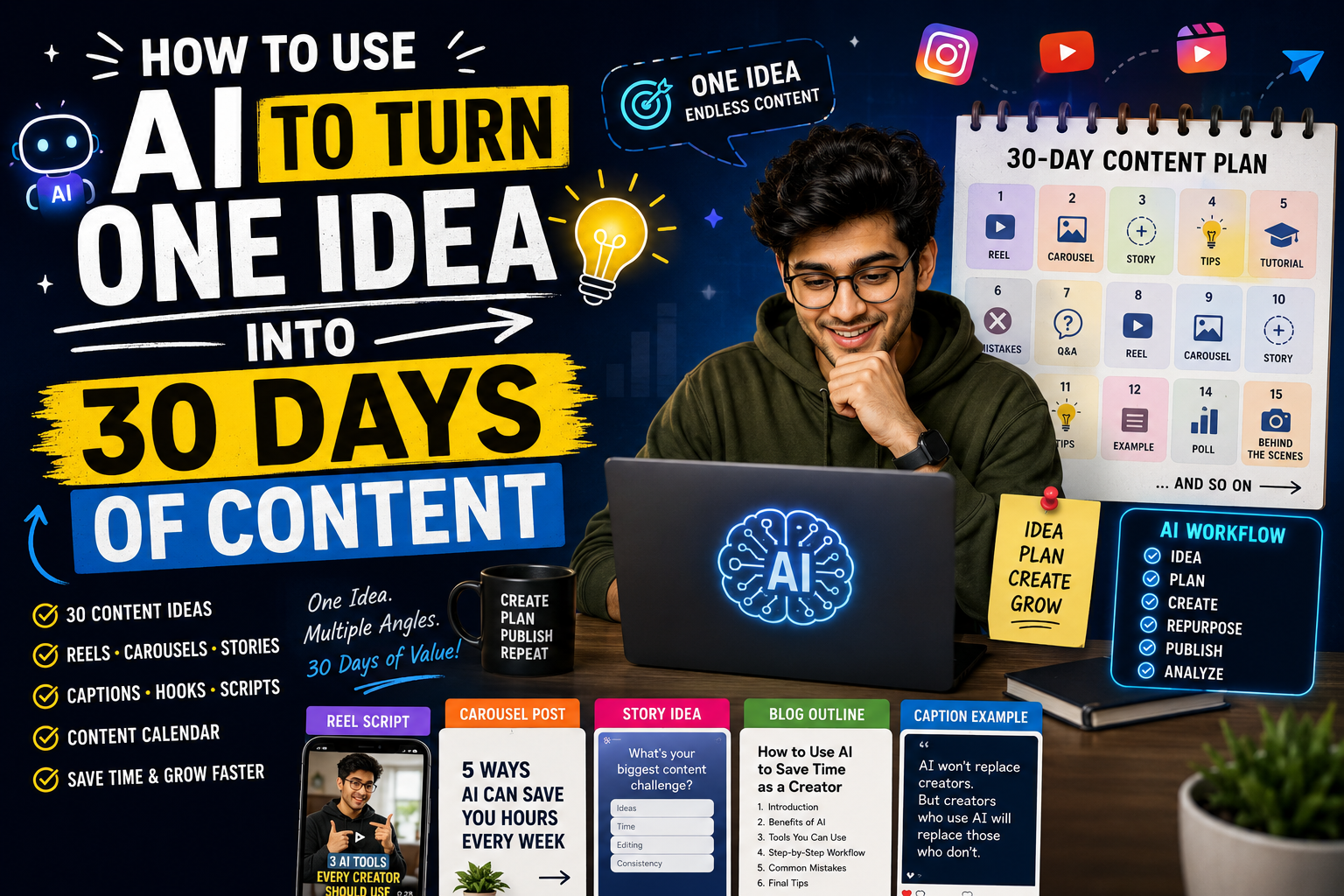
Instead of asking AI to create 30 completely unrelated posts, you can start with one strong content idea and transform it into multiple pieces of useful content. The result can become a complete 30-day content plan without losing the original message.
In this guide, you’ll learn how to use AI to turn one idea into 30 days of content, including prompts for research, Reels, carousels, captions, Stories, blog posts, hooks, and content repurposing.
What Does It Mean to Turn One Idea Into 30 Days of Content?
The idea is simple.
Imagine you have a topic such as:
“How beginners can use AI to grow on Instagram.”
Instead of creating only one post about it, you can break the main idea into smaller questions, lessons, examples, mistakes, tips, tutorials, and opinions.
For example, the original idea could become:
- An Instagram Reel explaining the main concept
- A carousel showing five beginner tips
- A Story poll
- A short tutorial
- A list of common mistakes
- A FAQ post
- A case-study-style post
- A longer blog article
- Several individual tips
- A checklist
- A myth-versus-fact post
- A behind-the-scenes post
You are not repeating the same content 30 times.
You are exploring different angles of the same core topic.
Why Use AI for Content Repurposing?
Creating content manually can take a surprising amount of time.
First, you need an idea. Then you need a hook, script, caption, visual concept, headline, and publishing plan.
AI can help with the repetitive parts of this process.
It can quickly generate:
- Content angles
- Hooks
- Video scripts
- Captions
- Carousel structures
- Blog outlines
- Story ideas
- Questions and answers
- Content calendars
- Repurposing ideas
However, AI should not replace your own experience.
The strongest workflow is usually:
Your idea + your experience + AI assistance + human editing
That combination produces content that is more useful and less generic.
How to Use AI to Turn One Idea Into 30 Days of Content
The process becomes much easier if you divide it into several steps.
Step 1: Start With One Strong Idea
Don’t begin by asking AI:
“Give me 30 random Instagram ideas.”
That usually produces a list of disconnected topics.
Instead, choose one subject that is directly related to your audience.
For example:
Main idea:
“How beginners can use AI to create better Instagram content.”
Now identify the main audience:
Audience:
Beginners who want to grow on Instagram but don’t know what to post.
This gives AI enough context to build a useful content system.
Step 2: Tell AI About Your Audience
The same topic can require completely different content depending on the audience.
For example, AI content for:
- Beginners
- Small businesses
- Influencers
- Freelancers
- Students
- E-commerce brands
should not sound identical.
Give AI information about the people you want to reach.
Prompt to Define Your Audience
Act as a social media content strategist.
My main topic is: [YOUR TOPIC]
My target audience is: [DESCRIBE AUDIENCE]
Their skill level is: [BEGINNER / INTERMEDIATE / ADVANCED]
Their biggest problems are: [LIST PROBLEMS]
Their goals are: [LIST GOALS]
Analyze this audience and give me 10 content angles that would genuinely help them. Avoid generic advice and focus on practical problems, questions, mistakes, and situations this audience experiences.
This gives you a foundation before generating the 30-day plan.
Step 3: Ask AI to Create Content Pillars
Content pillars are broad categories that keep your content organized.
For example, if your main topic is AI content creation, your pillars could be:
Education
Explain AI concepts in simple language.
Tutorials
Show people how to complete specific tasks.
Tools
Introduce useful AI tools and explain their use cases.
Mistakes
Explain common problems beginners face.
Examples
Show practical workflows and real scenarios.
Opinions
Discuss changes and trends in the AI industry.
Inspiration
Give people ideas they can actually try.
Now your 30 posts don’t have to feel repetitive.
Step 4: Generate 30 Content Ideas From One Topic
Once your audience and pillars are ready, give AI a detailed instruction.
30-Day Content Calendar Prompt
Act as an expert content strategist.
I want to create 30 days of content around this core idea:
“[YOUR MAIN IDEA]”
Target audience: “[YOUR AUDIENCE]”
Main goal: “[GROW FOLLOWERS / GET LEADS / BUILD AUTHORITY / SELL PRODUCT / EDUCATE]”
Create a 30-day content calendar using the core idea without repeating the same topic.
Divide the content across:
- Educational posts
- Short-form videos
- Tutorials
- Mistakes
- Tips
- Questions
- Examples
- Stories
- Opinions
- Engagement posts
For every day provide:
- Content topic
- Content format
- Hook
- Main message
- Suggested CTA
Make every idea practical and specific to the target audience. Avoid generic motivational content and avoid repeating the same advice using different words.
This prompt is much more useful than simply requesting 30 ideas.
Step 5: Turn Each Idea Into a Different Format
One of the biggest advantages of content repurposing is that the same concept can be presented differently.
Suppose your original topic is:
“Five ways beginners can use AI to save time.”
You could turn it into:
Reel
“5 AI tasks you should stop doing manually.”
Carousel
“5 Ways AI Can Save Beginners Hours Every Week.”
Story
“Which task takes you the most time?”
Blog
“How Beginners Can Use AI to Save Time Every Week.”
Short Tutorial
“Here’s how I use AI to plan my content in minutes.”
The information is related, but each format gives the audience a different experience.
Step 6: Create Better Hooks
A weak opening can make even excellent information difficult to notice.
Ask AI to generate several hooks rather than using the first one.
AI Hook Generation Prompt
Take this content idea:
“[CONTENT IDEA]”
Generate 15 short hooks for Instagram Reels and short-form videos.
Create a mixture of:
- Problem-based hooks
- Curiosity hooks
- Mistake-based hooks
- How-to hooks
- Contrarian hooks
- Question hooks
Keep them conversational and specific. Avoid fake clickbait, exaggerated claims, and phrases such as “this will change your life.”
Then choose the hook that sounds most natural for your audience.
Step 7: Turn the Ideas Into Reel Scripts
After selecting a topic, don’t ask AI to write a huge script immediately.
Give it a clear structure.
AI Reel Script Prompt
Write a 30-second Instagram Reel script about:
“[TOPIC]”
Target audience: “[AUDIENCE]”
Start with a strong 2-second hook.
Then:
- Identify the problem.
- Explain the solution.
- Give 2–3 useful points.
- Finish with a simple CTA.
Use conversational language that sounds like a real creator speaking to their audience. Keep sentences short and easy to say aloud. Do not use corporate language, unnecessary buzzwords, or exaggerated claims.
This makes the output easier to record.
Step 8: Create Carousel Posts
Carousels are useful when the information needs more explanation.
Use AI to turn a topic into a slide-by-slide structure.
Carousel Prompt
Turn this topic into a 7-slide Instagram carousel:
“[TOPIC]”
Slide 1: Strong headline
Slide 2: Explain the problem
Slide 3: Tip or solution #1
Slide 4: Tip or solution #2
Slide 5: Tip or solution #3
Slide 6: Practical example
Slide 7: Simple CTAKeep each slide concise and easy to read on a mobile screen. Avoid filling slides with unnecessary text.
Step 9: Create Instagram Stories From the Same Idea
Stories don’t have to repeat the Reel.
Instead, use them to start conversations.
For example, if your Reel is about AI productivity, your Stories could include:
Story 1:
“How much time do you spend creating content every week?”
Story 2:
Poll: “Less than 2 hours / More than 2 hours”
Story 3:
“Want my AI workflow?”
Story 4:
Share a short tip.
Story 5:
CTA to the full Reel or article.
This turns one idea into an interactive content sequence.
Step 10: Create a Blog Post From the Same Idea
Your strongest social media topic can also become a detailed website article.
Ask AI to expand the idea, but don’t simply publish raw AI output.
Add:
- Your own examples
- Personal observations
- Screenshots where useful
- Original explanations
- Real workflows
- Specific recommendations
- Updated information
This makes the article much more valuable than a generic AI-generated post.
A Complete 30-Day Example
Let’s use the core topic:
“How creators can use AI to save time.”
Here is an example of how the topic could be expanded.
| Day | Content Idea | Format |
|---|---|---|
| 1 | How AI can save creators time | Reel |
| 2 | 5 tasks creators can automate | Carousel |
| 3 | My simple AI content workflow | Reel |
| 4 | Biggest AI mistake beginners make | Text post |
| 5 | AI tools for brainstorming | Carousel |
| 6 | Ask your audience about their biggest content problem | Story |
| 7 | One AI prompt every creator should try | Reel |
| 8 | How to create 10 hooks with AI | Tutorial |
| 9 | AI myths creators should stop believing | Carousel |
| 10 | Behind the scenes of an AI workflow | Reel |
| 11 | How to turn one idea into multiple posts | Tutorial |
| 12 | Common AI writing mistakes | Carousel |
| 13 | AI productivity checklist | Carousel |
| 14 | Audience Q&A | Stories |
| 15 | How to improve AI-generated content | Reel |
| 16 | Before vs. after human editing | Carousel |
| 17 | Three ways to improve AI prompts | Reel |
| 18 | A common content-planning problem | Story |
| 19 | AI content planning workflow | Tutorial |
| 20 | 5 content ideas generated from one topic | Reel |
| 21 | What AI cannot replace | Opinion |
| 22 | AI prompt improvement tutorial | Reel |
| 23 | Content repurposing mistakes | Carousel |
| 24 | Ask followers what they want to learn | Story |
| 25 | How to turn a Reel into a blog | Tutorial |
| 26 | How to create better captions with AI | Reel |
| 27 | AI workflow for busy creators | Carousel |
| 28 | Content creation FAQ | Reel |
| 29 | Lessons learned from using AI | Story |
| 30 | Complete AI content workflow | Long-form Reel |
Notice that the content isn’t 30 copies of the same article.
It is one subject explored from different perspectives.
How to Humanize AI-Generated Content
This is one of the most important parts of an AI-assisted content workflow.
If you publish everything exactly as AI generates it, your content can easily sound generic.
Add Your Own Experience
Instead of:
“AI can help you save time.”
Write something more specific:
“Instead of spending an hour trying to think of Reel topics, I use AI to generate several angles first and then choose the ones that actually fit my audience.”
The second version feels more personal because it explains an actual workflow.
Use Natural Language
You don’t need to make every sentence sound formal.
Use the language your audience naturally understands.
Short sentences are often better than complicated explanations.
Add Real Examples
If you’re explaining a prompt, show an actual example.
If you’re explaining a workflow, show the steps.
If you’re recommending a technique, explain when it is useful.
This adds value that a generic AI answer often lacks.
Don’t Ask AI to Make Everything “Viral”
A common mistake is asking AI:
“Give me 30 viral posts.”
There is no guarantee that a post will go viral.
Instead, ask AI to create content that is:
- Useful
- Specific
- Relevant
- Easy to understand
- Interesting
- Actionable
- Appropriate for your audience
Then use your own analytics to determine what actually performs well.
How to Improve Your 30-Day Content Plan
Once you start publishing, your analytics become more important than AI predictions.
Look at:
- Views
- Watch time
- Saves
- Shares
- Comments
- Profile visits
- Clicks
- Followers gained
- Leads or sales
If tutorial videos consistently outperform generic tips, create more tutorials.
If your audience saves checklists, produce more practical checklists.
Your 30-day plan should not be fixed forever.
Use the first month as a learning cycle.
A Better AI Content Creation Workflow
A practical workflow can look like this:
One core idea
↓
Audience research
↓
Content pillars
↓
30-day ideas
↓
Choose the strongest topics
↓
Generate hooks
↓
Create scripts
↓
Create visuals
↓
Human editing
↓
Publish
↓
Analyze performance
↓
Create more content around winning topics
This creates a system rather than forcing yourself to find a completely new idea every day.
Frequently Asked Questions
Can AI really create 30 days of content from one idea?
Yes. One broad subject can be divided into multiple questions, problems, tutorials, examples, opinions, and formats. The important part is to create different angles instead of rewriting the same post repeatedly.
Which AI tools can I use for content planning?
Tools such as Gemini and ChatGPT can help with brainstorming, content planning, scripts, hooks, captions, and repurposing. The best tool depends on the type of task and the workflow you prefer.
Should I publish AI-generated content without editing it?
It’s better to review and edit it first. Add your own experience, examples, opinions, facts, screenshots, and brand voice wherever appropriate.
Can I use this strategy for a small business?
Absolutely. In fact, small businesses can benefit because one product, service, or customer problem can provide many different content angles.
Can one Reel become multiple pieces of content?
Yes. A single Reel can potentially become a carousel, Story sequence, blog article, short text post, email topic, FAQ, and another Reel with a different angle.
How often should I create a new content pillar?
There is no fixed rule. Start with a few relevant pillars and use your performance data to decide which ones deserve more attention.
Final Thoughts
You don’t need 30 completely different ideas to maintain a consistent content schedule.
You need one strong idea and a smart system for exploring it.
AI can help you break that idea into questions, tutorials, videos, carousels, Stories, captions, blog posts, and other formats. But the best results come when AI handles the repetitive planning work while you provide the experience, creativity, judgment, and personality.
So the next time you have one good content idea, don’t publish it once and move on.
Ask yourself:
“How many useful pieces of content can I create from this one idea?”
With the right workflow, a single idea can become the foundation for an entire month of meaningful content.