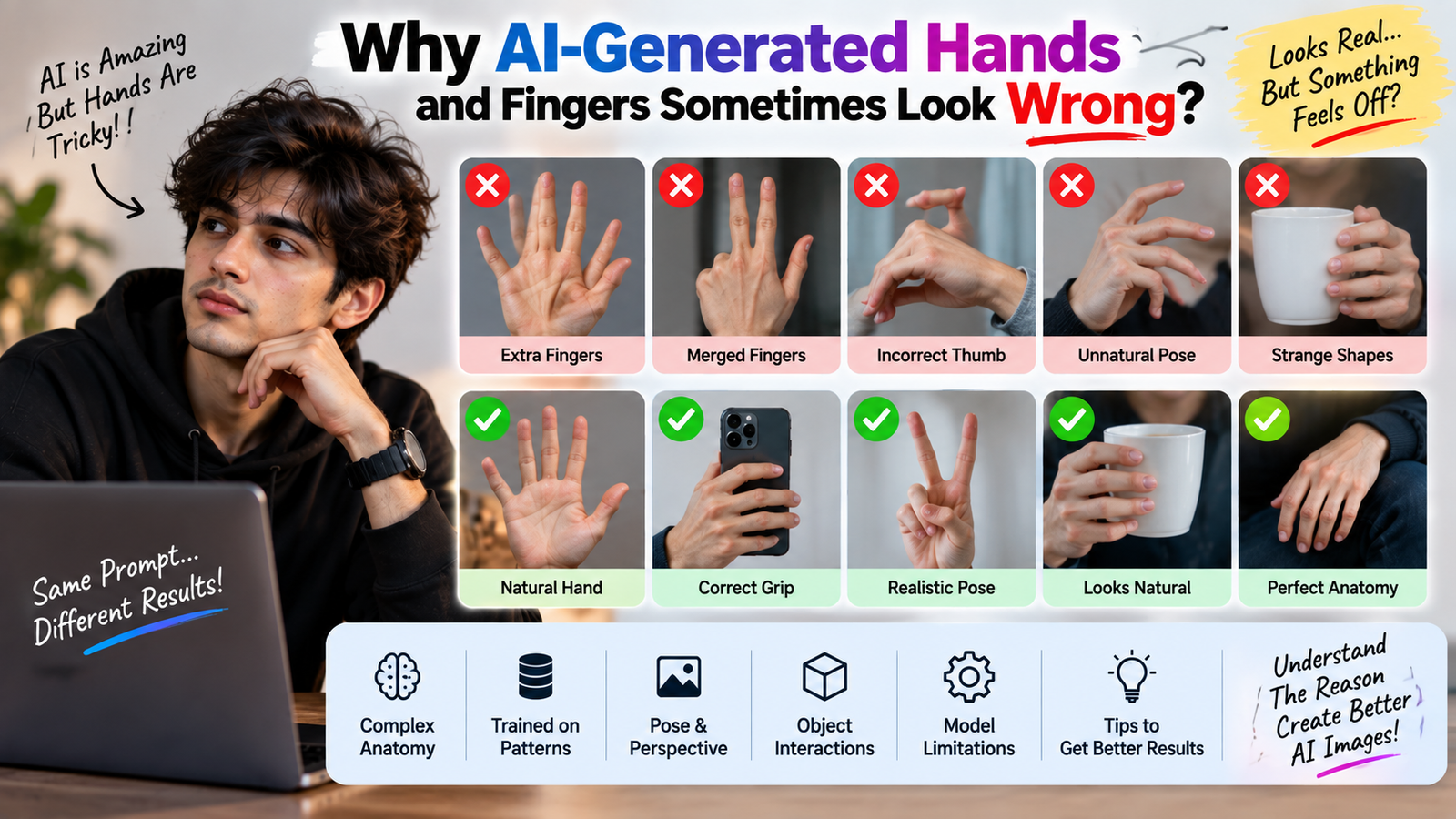
If you have spent any time creating AI images, you’ve probably noticed a strange pattern: the overall image can look incredibly realistic, but then you look at the person’s hand and something immediately feels wrong.
Maybe there are too many fingers. Maybe two fingers appear joined together. Sometimes a hand looks unusually long, the thumb is in the wrong place, or the fingers seem to bend in a way that simply isn’t possible.
This isn’t just a problem with one particular AI tool. AI-generated hands and fingers can be difficult for image models to reproduce accurately, especially when the hands are small, partially hidden, moving, or positioned in unusual ways.
Understanding why this happens is actually more useful than simply trying to find another prompt.
Once you know what makes hands difficult, you can make better decisions about prompts, reference images, composition, and editing.
Why Are Hands So Difficult for AI?
The human hand looks simple when you look at it casually.
But visually, it is a complicated structure.
A single hand contains:
- Five fingers
- Multiple joints
- A thumb with a different movement pattern
- Fingernails
- Knuckles
- Palm creases
- Different finger lengths
- Overlapping shapes
- Complex shadows
And that’s before you consider what happens when the hand is holding something.
The AI isn’t simply drawing five lines coming out of a palm.
It has to create a three-dimensional-looking structure and represent it as a two-dimensional image.
That’s a much harder problem.
AI Doesn’t Understand a Hand Exactly Like a Human Does
It’s tempting to think that an AI image model “knows” what a hand is in the same way a person does.
That’s not quite how it works.
Generative image models learn visual patterns from enormous collections of images and their associated information.
Through that training, the model learns relationships between things such as:
- People
- Faces
- Bodies
- Hands
- Objects
- Lighting
- Clothing
- Backgrounds
But producing a new image isn’t the same as retrieving a stored photograph.
The model is generating a visual result based on learned patterns.
That’s why it can produce something that looks like a hand at first glance but falls apart when you inspect the anatomy.
Why Extra Fingers Sometimes Appear
One of the most famous AI-image mistakes is the extra finger.
You might see:
- Six fingers
- A duplicated finger
- A finger growing from the wrong location
- A strange thumb
- Fingers merging together
Why?
Because fingers often overlap.
Imagine someone holding a phone.
Some fingers are visible.
Some are behind the phone.
One may be partially hidden by another finger.
The AI has to determine where each visible shape belongs.
If the visual information is ambiguous, it can produce an incorrect arrangement.
This becomes especially difficult when the hand occupies only a small portion of the image.
Small Hands Are Harder to Generate Correctly
Consider two photographs.
In the first, a person’s hand is close to the camera and takes up a large part of the frame.
In the second, the person is standing far away and their hands occupy only a few dozen pixels.
The second image provides much less visible information.
At that size, individual fingers may barely be distinguishable.
The model therefore has less visual information to work with.
This is one reason full-body AI images can sometimes have more noticeable hand problems than close-up portraits.
The Pose Makes a Huge Difference
A relaxed hand hanging beside someone’s body is relatively straightforward.
A hand in a complicated pose is much more difficult.
For example:
- Fingers intertwined
- Hand covering the face
- Person holding a glass
- Hand inside a pocket
- Fingers touching the hair
- Person holding a phone
- Two people holding hands
- Hands crossed over the body
Every additional interaction creates more overlapping shapes.
The model has to figure out which finger belongs to which hand and how the objects interact with them.
That’s a lot of visual relationships to maintain at once.
Holding Objects Makes the Problem Harder
Hands rarely exist by themselves in photographs.
They’re usually interacting with something.
A person might be:
- Holding a phone
- Carrying a bag
- Drinking from a cup
- Holding sunglasses
- Touching a wall
- Holding flowers
- Using a laptop
- Riding a bicycle
Now the AI has to understand both the hand and the object.
Suppose someone is holding a smartphone.
The fingers may be partially hidden behind the phone.
If the model doesn’t correctly understand that relationship, it might place fingers through the phone or create an impossible grip.
That’s why object-hand interactions are a good place to inspect an AI-generated image carefully.
Why AI Sometimes Gets the Thumb Wrong
The thumb is particularly tricky because it doesn’t extend from the hand in the same way as the other fingers.
Its position changes dramatically depending on the pose.
For example, compare:
- Open palm
- Closed fist
- Thumbs-up
- Holding a phone
- Holding a cup
- Hand in pocket
The thumb can move across the palm and overlap other fingers.
A model that gets the general shape right can still place the thumb incorrectly.
This is one of those mistakes that may not be obvious at first glance.
Hands Behind Objects Create Another Challenge
Partial visibility is difficult for generative models.
Imagine a person holding a bouquet.
You can see:
- Wrist
- Part of the palm
- Two fingers
- A thumb
The remaining fingers are hidden behind the flowers.
A human looking at the photograph understands that the hidden fingers continue behind the object.
The AI has to infer that hidden structure.
Sometimes the inference is correct.
Sometimes it isn’t.
This is a broader principle in AI image generation:
When important information is hidden, the model has to guess.
Why Hands Can Look Fine Until You Zoom In
This happens surprisingly often.
At normal viewing size, the image looks perfect.
You open it on your phone and think:
“Wow, this actually looks real.”
Then you zoom into the hand.
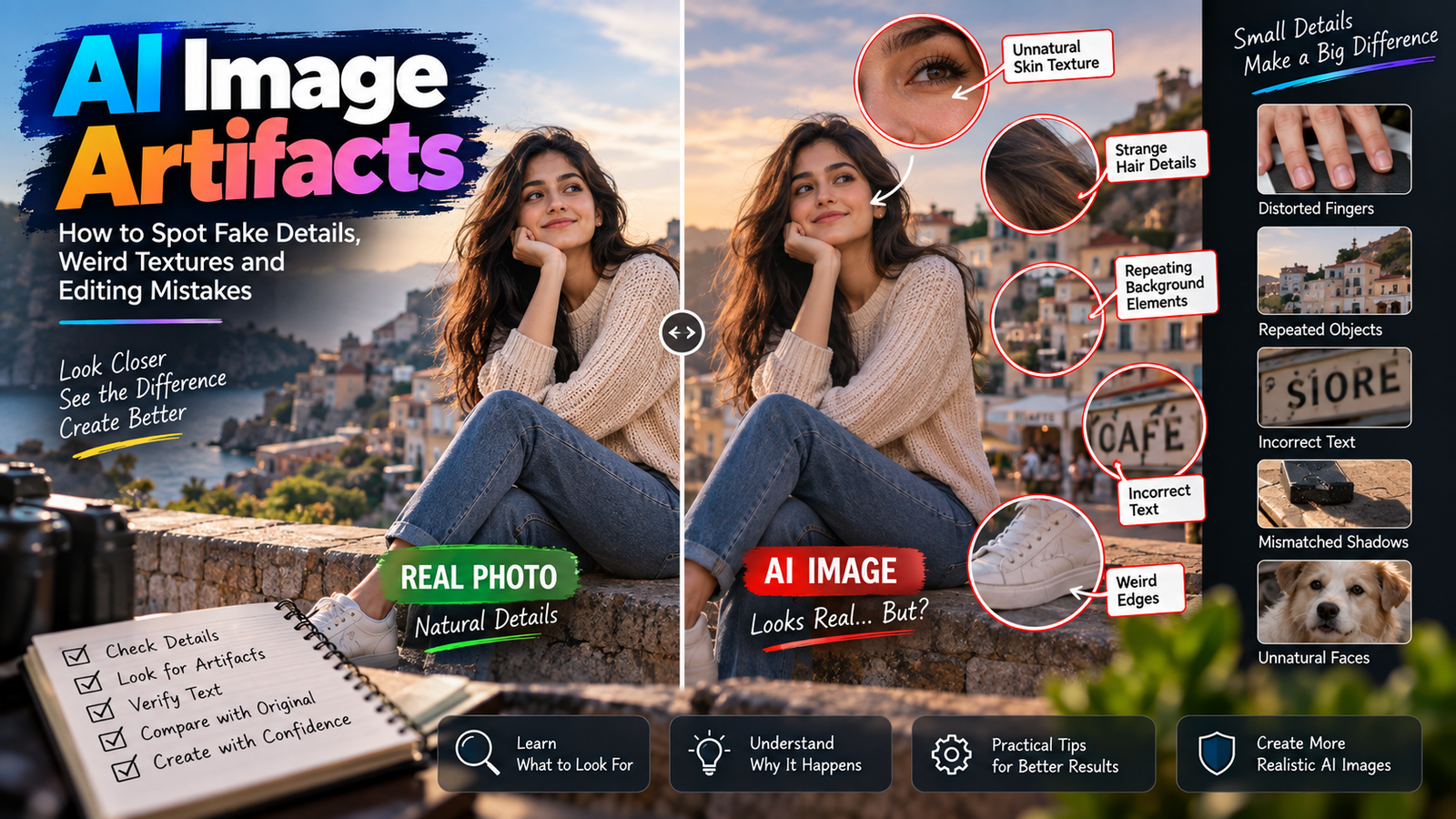
Suddenly you notice:
- Strange fingernails
- Merged fingers
- Unnatural joints
- Extra creases
- Missing fingers
This happens because the overall image can communicate “person” successfully even when small anatomical details are incorrect.
The brain is very good at recognizing the overall concept.
It doesn’t always immediately inspect every finger.
That’s why zooming in is an important part of reviewing AI-generated images.
Why Hands in the Background Are More Likely to Look Strange
AI images often contain people in the background.
Those people are usually smaller and less detailed.
Their hands may only occupy a tiny area of the image.
If the hands aren’t important to the composition, the model may not allocate enough visual detail to them.
This can result in:
- Simplified fingers
- Unclear hands
- Strange poses
- Blended limbs
It’s not necessarily a major problem if the person is genuinely in the background.
But if you’re publishing a high-resolution image, zoom in before assuming everything is correct.
The Difference Between Generating and Editing a Hand
There is another important distinction.
Generating a new hand means the AI has to create the hand from scratch.
Editing an existing hand gives the model some visual information to preserve.
For example, if you’re changing someone’s shirt color in an existing photograph, you generally don’t need AI to recreate their hands.
You want the hands to remain untouched.
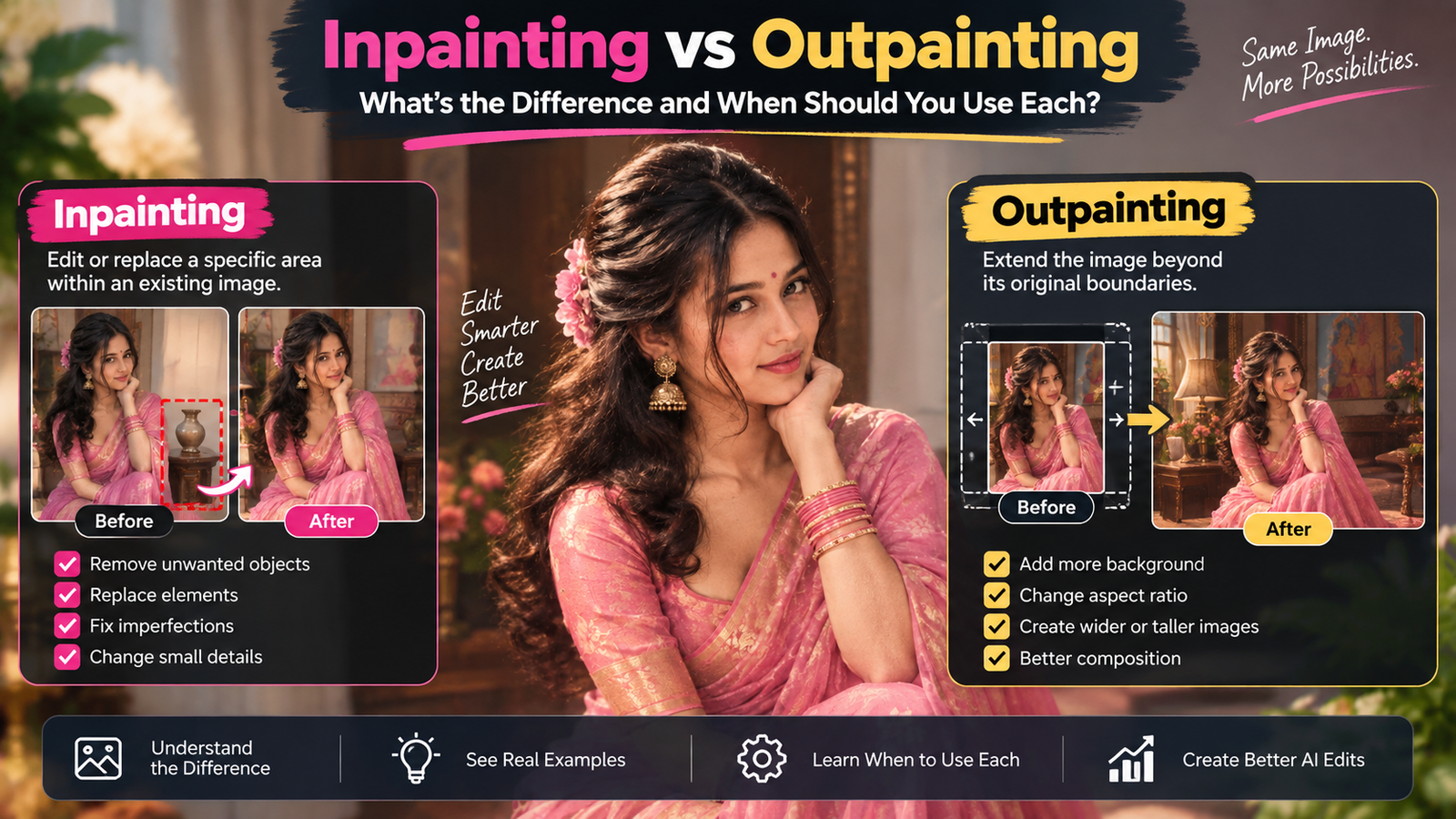
That’s why narrow, selective editing can often be safer than asking an AI tool to regenerate an entire photograph.
If you’re working on a specific part of an image, our guide to AI image prompts for selective editing explains why limiting the editing area can be useful.
Why Regenerating the Whole Image Can Make Things Worse
Suppose an AI-generated portrait has a perfect face and clothing but one slightly strange hand.
You decide to regenerate the entire image.
The new version fixes the hand.
But now:
- The face looks different
- The hairstyle changed
- The clothing changed
- The background changed
You’ve traded one problem for four new ones.
If your editing tool supports local or selective changes, it’s often better to work on the problematic area rather than regenerate everything.
This is especially important when the original image already has several elements that you want to preserve.
Prompt Detail Can Help, But It Isn’t a Guarantee
People often assume that writing:
five anatomically correct fingers, realistic hands, perfect anatomy
will completely solve the problem.
It can provide useful guidance, but it doesn’t guarantee anatomical accuracy.
AI image generation isn’t a traditional 3D modeling system.
Repeating “perfect hands” several times doesn’t force the model to calculate the anatomy correctly.
In many cases, a clear description of the pose and interaction is more useful than simply repeating quality adjectives.
Describe the Action, Not Just the Hand
Compare these two instructions.
Less useful
Realistic hand with perfect fingers.
More informative
The person is holding the phone naturally with one hand, with the thumb resting along the side and the remaining fingers wrapping around the back.
The second description provides an actual relationship between:
- Hand
- Fingers
- Phone
- Position
That gives the model more contextual information.
The same principle applies to many AI image prompts.
Describing what something is doing can be more useful than repeatedly describing how “perfect” it should look.
Why “Ultra-Realistic” Doesn’t Fix Anatomy
Words such as:
- Ultra-realistic
- Photorealistic
- 8K
- Highly detailed
- Professional photography
describe the desired visual style.
They don’t necessarily solve structural problems.
An image can be incredibly detailed and still contain an anatomically incorrect hand.
In fact, more detail can sometimes make a mistake more obvious.
A six-fingered hand rendered in high detail is still a six-fingered hand.
Lighting Can Hide Hand Problems
Lighting has an interesting effect on how noticeable hand errors are.
Soft shadows can hide small imperfections.
Strong directional light can make them more obvious.
For example, dramatic side lighting may clearly reveal:
- Finger separation
- Knuckle position
- Hand contours
- Nail shapes
If the anatomy is wrong, those details become easier to spot.
This doesn’t mean you should avoid dramatic lighting.
It simply means that lighting can change how visible AI mistakes become.
Why AI Hands Sometimes Look Too Smooth
Another common problem is skin texture.
The hand may have the correct number of fingers but still look artificial.
You might notice:
- Plastic-looking skin
- Missing creases
- Excessive smoothing
- Strange nails
- Unrealistic highlights
This can happen when the model prioritizes a polished appearance over natural photographic texture.
A believable hand doesn’t need to be perfectly smooth.
Real hands have small imperfections.
Those imperfections help communicate that the image is photographic.
Hands and Skin Tone Should Match the Person
When editing an existing photograph, the hands should belong visually to the same person.
Check whether the edited hand has:
- The same skin tone
- Similar texture
- Consistent lighting
- Matching shadows
- Similar sharpness
A common AI mistake is creating a hand that looks slightly different from the face.
The difference may be subtle, but once noticed, it can make the entire image feel artificial.
Why AI Can Struggle With Two Hands Together
Two hands create a much more complicated problem than one.
Imagine someone clasping their hands together.
Now there are:
- Ten fingers
- Multiple overlapping joints
- Two wrists
- Intersecting shadows
- Similar skin tones
The model has to keep track of which finger belongs to which hand.
This is exactly the kind of situation where AI-generated anatomy can become unreliable.
If the pose isn’t essential to the image, a simpler hand position may produce a more convincing result.
How Reference Images Can Help
A reference image can provide useful visual information about a pose.
For example, if you want a person to hold a cup in a specific way, a reference showing that hand position may give the model a clearer idea of the intended pose.
But the reference needs to be used carefully.
If you provide an image of another person, the AI may also pick up:
- Clothing
- Hairstyle
- Lighting
- Facial appearance
- Composition
unless the editing instruction makes the intended reference purpose clear.
If you’re using a reference image, specify what you’re taking from it.
For example:
Use the reference only for the hand position and grip; preserve the original person’s face, clothing, hairstyle and overall appearance.
Why Existing Photographs Can Be Easier to Edit
If you already have a good photograph of someone’s hand, you may not need AI to recreate it.
Suppose the problem is that the background is distracting.
Changing the background while preserving the existing person can be safer than generating an entirely new portrait.
The same principle applies to lighting, composition and other edits.
Start with the parts of the photograph that are already correct.
Then change only what needs changing.
This approach is also useful for improving photo composition with AI without unnecessarily regenerating the original subject.
A Practical Way to Check AI Hands
Whenever an AI-generated person is going to be used publicly, spend a few seconds checking the hands.
You don’t need to inspect every pixel.
Just ask:
Are there five fingers?
Does the thumb make sense?
Do the joints bend naturally?
Are the fingers attached correctly?
Does the hand actually grip the object?
Does the skin match the person?
Do the shadows make sense?
If the answer to these questions is yes, the hand is probably doing its job.
Don’t Forget the Feet
The same general problem can happen with feet and toes.
They aren’t as frequently discussed as hands, but the underlying challenge is similar.
AI can struggle when:
- Feet are partially hidden
- Toes overlap
- Shoes are unusual
- Legs are crossed
- The pose is complicated
If the image shows bare feet, inspect them as carefully as you would inspect hands.
When You Should Avoid Over-Editing the Hands
If the hand is slightly soft but anatomically correct, don’t automatically ask AI to make it “perfect.”
You might end up replacing a real-looking hand with a generated one.
The original imperfection may actually be less noticeable than an AI reconstruction.
This is especially true for personal photographs.
Sometimes preserving a slightly imperfect real hand is better than generating a technically sharper but artificial one.
AI Editing Is Better at Some Hand Problems Than Others
There is no single difficulty level for hands.
Usually easier
- Slightly improving clarity
- Changing a small surrounding element
- Adjusting lighting around an existing hand
- Removing a simple distraction nearby
More difficult
- Reconstructing a heavily blurred hand
- Creating a complex grip
- Fixing intertwined fingers
- Reconstructing fingers hidden behind objects
- Generating a completely new hand from an unusual angle
The more information the AI has, the better its chances generally become.
What to Do When a Hand Looks Wrong
Don’t immediately start adding more adjectives to the prompt.
Instead, identify the specific problem.
If there is an extra finger, focus on the hand structure.
If the grip is wrong, describe the interaction with the object.
If the hand changed during another edit, reduce the editing area.
If the hand is completely obscured, consider whether an AI reconstruction is actually appropriate.
This makes troubleshooting much more systematic.
A Useful Principle for AI Image Editing
There’s a broader lesson here that goes beyond hands.
AI performs better when you clearly define what should change and what should stay.
If you want to change a shirt, protect the face.
If you want to change a background, protect the subject.
If you want to change lighting, preserve the skin tone.
If you want to fix a hand, don’t regenerate the entire photograph unless you actually need to.
This preservation-first approach can make AI editing much more predictable.
Why AI-Generated Images Should Always Be Reviewed
AI can create images that look convincing enough to pass a quick glance.
That’s exactly why manual review matters.
Before publishing an AI-generated or AI-edited photograph, look at:
- Hands
- Fingers
- Eyes
- Teeth
- Ears
- Hair
- Jewelry
- Text
- Logos
- Object interactions
You don’t have to reject an image because it contains a tiny imperfection.
The question is whether the imperfection is noticeable and whether it affects the purpose of the image.
For more general techniques for identifying and correcting AI-generated image problems, you can also read our guide on how to fix bad AI-generated photos.
The Bigger Picture: AI Is Getting Better, But Errors Still Matter
AI image models have improved dramatically, and hand generation is much better than it used to be.
But better doesn’t mean perfect.
Some images will still contain anatomical mistakes, especially when the composition is complicated or the hands are small.
The important thing is not to expect perfection from every generation.
Instead, develop the habit of reviewing the image critically.
A beautiful background doesn’t compensate for a visibly broken hand.
A realistic face doesn’t make incorrect fingers disappear.
And an impressive resolution doesn’t guarantee correct anatomy.
Final Thoughts
AI-generated hands and fingers sometimes look wrong because hands are visually complicated structures with overlapping fingers, joints, changing poses, and interactions with other objects. The model has to generate all of that from learned visual patterns, and ambiguous or missing information can lead to mistakes.
The best way to deal with the problem isn’t to blindly add more words to your prompt.
Start with a good source or reference image. Keep complicated poses under control. Describe important hand-object interactions clearly. Use selective editing when possible, and always compare the final result with what you originally wanted.
Most importantly, remember that AI-generated detail isn’t automatically accurate detail.
If a hand looks natural, fits the pose, matches the lighting and belongs convincingly to the person, that’s what matters—not whether the image contains the maximum possible amount of detail.
That mindset will help you create better AI images without constantly fighting the tool.