When you upload a photograph to an AI image editor and write something like “change the background but keep the person unchanged,” it can feel as if the AI is looking at the photograph the same way you are.
But that’s not really what is happening.
An AI model doesn’t look at a photograph and think, “This is Farhan standing outside a café, wearing a black shirt, with a building behind him.” It processes the image as data and uses patterns learned during training to interpret what is likely happening in that image.
Understanding this makes a lot of AI image-editing behavior easier to explain.
Why does AI sometimes recognize a face correctly but change it during an edit? Why does it struggle with small text? Why can it generate a realistic background that wasn’t in the original photograph? And why does increasing image resolution not necessarily bring back details that were never captured?
The answers start with something very simple:
An image is made of pixels, but AI works with patterns and relationships between those pixels.
Let’s break that down without turning it into a computer-science textbook.
What Is a Digital Image Actually Made Of?
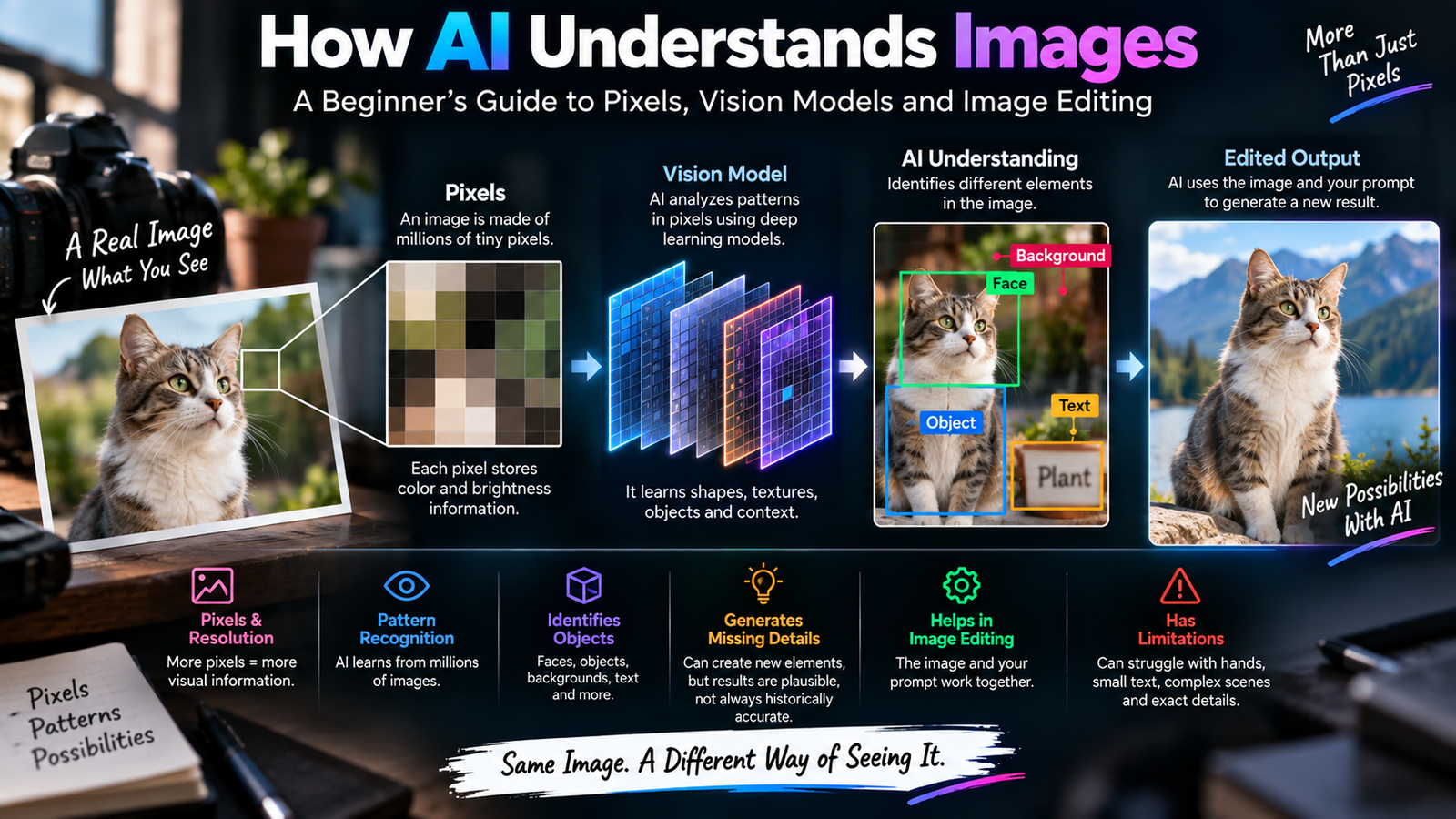
At the most basic level, a digital photograph is a collection of tiny pieces of visual information called pixels.
If you zoom far enough into a photograph, you eventually stop seeing a smooth image and start seeing individual colored squares or points.
Each pixel contains information about its color and brightness.
Millions of these pixels can combine to create something that looks like:
- A person’s face
- A tree
- A building
- A car
- A sky
- A product
- A piece of clothing
Your eyes see the overall photograph.
The computer starts with the underlying numerical information.
That’s an important difference.
What Does Resolution Mean?
Resolution refers to how much pixel information an image contains.
For example, an image that is 4000 pixels wide and 3000 pixels tall contains far more pixels than an image that is 800 × 600.
More pixels don’t automatically mean a better photograph, because image quality also depends on the camera, lens, lighting, compression and other factors.
But higher resolution can provide more visual information for editing.
Consider a person’s face.
In a high-resolution photograph, you might have enough information to see:
- Hair strands
- Eyelashes
- Skin texture
- Clothing fibers
- Small facial features
In a tiny compressed image, much of that information may already be missing.
This becomes important when you ask AI to edit the photograph.
AI Doesn’t Store a Photograph as a Collection of Objects
This is where things get interesting.
A beginner might imagine that an AI sees an image something like this:
Person = 1
Shirt = black
Background = building
Hair = brown
That’s a useful mental shortcut, but it’s not really how modern image models operate.
Instead, models transform visual information into internal representations that capture patterns and relationships.
These representations allow the system to associate visual features with concepts.
So when you upload an image containing a dog, the model doesn’t necessarily have a little box inside its memory saying:
DOG FOUND HERE.
It processes patterns in the image that correspond to what it has learned about dogs.
That’s why AI can recognize things even when they’re photographed from different angles or under different lighting.
How Does AI Know That Something Looks Like a Face?
Faces contain highly recognizable visual relationships.
For example:
- Two eyes generally appear above the nose
- The nose sits between the eyes and mouth
- The mouth is usually below the nose
- Facial features have particular proportions
- Hair often surrounds the upper portion of the face
The model has encountered enormous numbers of examples of faces during training.
It learns statistical relationships between visual patterns.
That allows it to recognize and generate faces even when the exact face has never appeared in its training examples.
But this also explains something important.
Recognizing the concept of a face is not the same as preserving one specific person’s exact face during an edit.
Those are different problems.
Recognition and Reconstruction Are Different
Suppose you upload a portrait and ask AI to change the background.
The model may correctly identify that there is a person in the photograph.
But when it generates the new version, it may subtly modify the person’s:
- Eyes
- Nose
- Jawline
- Hair
- Skin texture
- Expression
Why?
Because the model isn’t simply copying the original pixels into a new background.
It is generating an edited image based on the original information and your instruction.
If the editing process gives the model enough freedom, it may reconstruct parts of the subject instead of preserving them pixel-for-pixel.
That’s one reason selective editing and strong preservation instructions can be important.
How Does AI Know What the Background Is?
The model doesn’t necessarily draw a precise boundary around “background” in the same way a human editor would with a selection tool.
Instead, it uses visual cues.
For example:
- A person’s body has one type of structure
- The wall behind them has another
- The sky has another
- Trees have another
- Clothing has another
The model can use these relationships to infer which areas belong together.
That’s why AI can often remove a background without you manually tracing every edge.
But difficult boundaries can still cause problems.
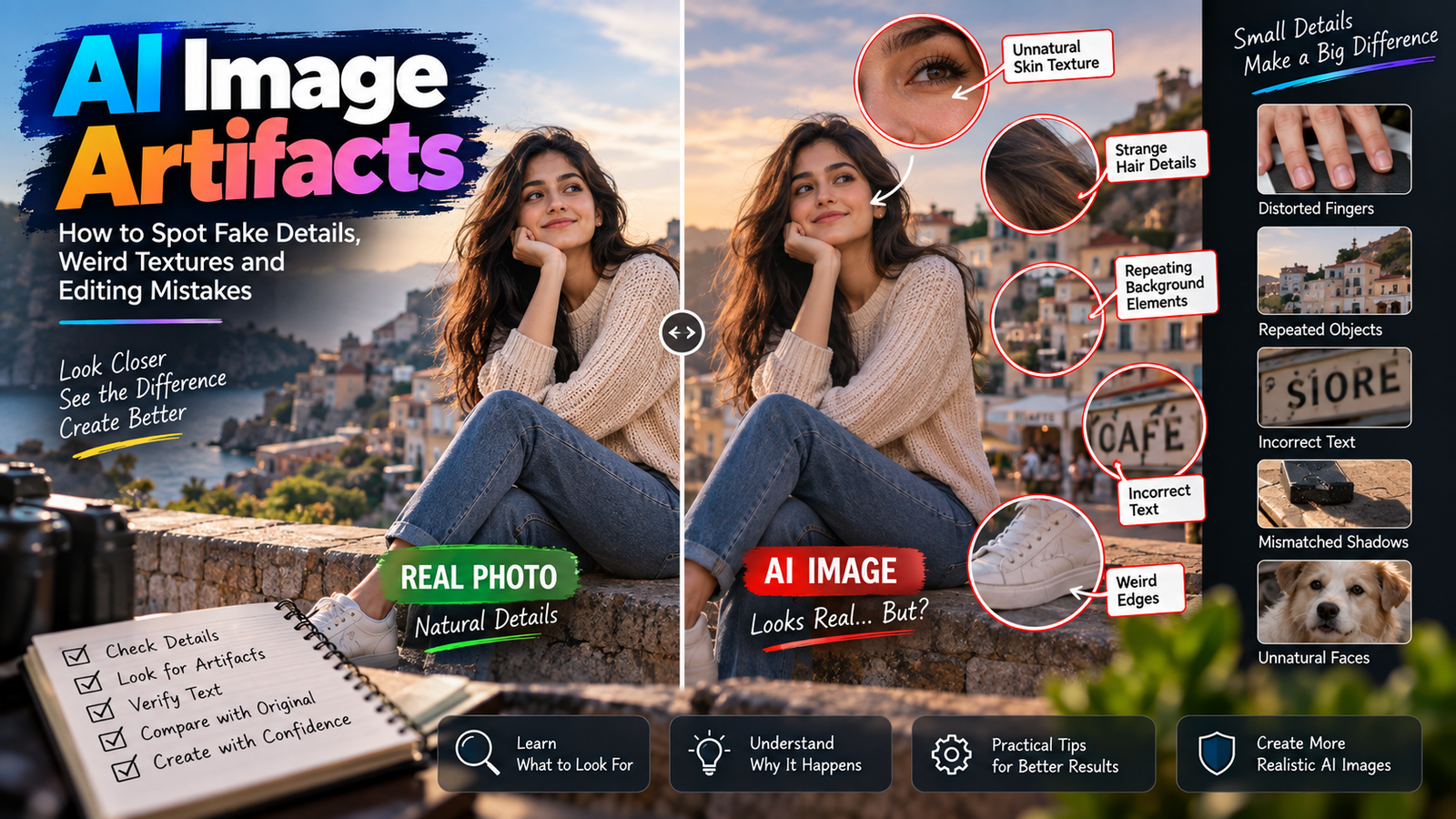
Hair is a good example.
Why Hair Is Difficult to Separate
Imagine someone standing in front of a bright sky.
Their hair contains hundreds of tiny strands.
Some strands are dark.
Some are illuminated.
Some are almost transparent.
Some overlap the background.
A traditional editor can zoom in and manually refine a mask.
AI tries to infer the boundary from visual patterns.
It can do this impressively well in many cases, but it isn’t guaranteed to get every strand right.
This is one reason hair can sometimes look slightly cut out after an AI background change.
Why AI Sometimes Creates Things That Weren’t There
This is one of the most important concepts in generative AI.
AI image generation isn’t simply copying what already exists.
It can generate new visual information.
Suppose you ask:
Replace this empty wall with a bookshelf.
There was no bookshelf in the original photograph.
The AI has to create one.
It uses patterns learned from other images to generate something that fits your request.
The same principle applies when an AI reconstructs a part of a photograph that is hidden or missing.
It isn’t necessarily recovering the original information.
It is generating a plausible interpretation.
Plausible Does Not Mean Historically Accurate
This distinction is extremely important.
Imagine an old photograph where part of a person’s face is covered by an object.
AI may reconstruct the hidden section.
The result could look completely natural.
But that doesn’t prove that the reconstructed face is what the person actually looked like.
The AI has produced a plausible face based on available information.
It hasn’t travelled back in time to recover the original pixels.
This is why AI restoration and reconstruction should be treated carefully when historical or documentary accuracy matters.
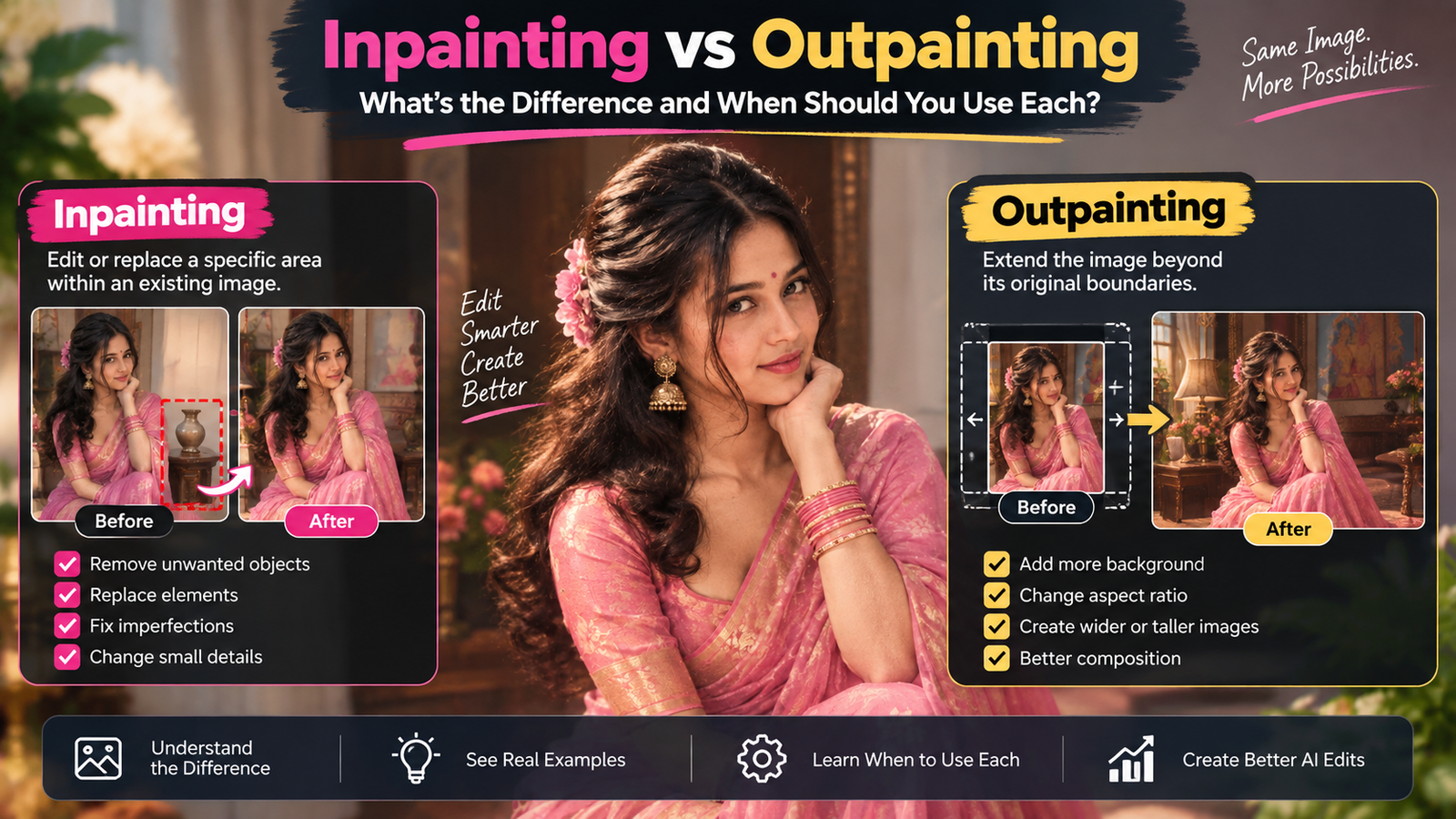
Why AI Can Remove an Object So Easily
Suppose there’s a small bottle sitting on a table and you ask AI to remove it.
The AI needs to determine what might naturally exist behind the bottle.
If the surrounding surface is simple, such as a plain wooden table, this can be relatively straightforward.
It can continue the surrounding texture.
But imagine the object is covering:
- A person’s face
- Printed text
- A complicated pattern
- A building edge
- Several objects
Now the missing information is much more difficult to infer.
This is why AI object removal from photos tends to work better when the area underneath the unwanted object is relatively predictable.
Why Text Is Still a Difficult Problem
Text has a special problem.
Humans understand letters as precise symbols.
A small difference can completely change a word.
For example:
PHOTO
and
PH0TO
look almost identical visually, but they’re not the same.
AI image models historically have had difficulty producing perfectly accurate text because generating an image and generating a sequence of exact characters are different tasks.
Modern systems have improved considerably, but text can still require inspection.
This is especially important for:
- Logos
- Product labels
- Signs
- Posters
- Screenshots
- Packaging
- Documents
If the exact wording matters, don’t assume that an AI-generated version is correct just because it looks convincing.
Why Hands Have Their Own Problems
Hands provide another excellent example of the difference between visual recognition and accurate reconstruction.
The model knows what a hand generally looks like.
But generating one in a complicated pose requires it to maintain relationships between:
- Palm
- Thumb
- Fingers
- Joints
- Nails
- Objects being held
When fingers overlap or disappear behind an object, the model has less visible information.
It then has to make an inference.
That’s one reason AI-generated hands and fingers sometimes look wrong, even when the rest of the image looks excellent.
We explored this problem in more detail in our article on why AI-generated hands and fingers look wrong.
What Does an AI Model Learn During Training?
This is where the word “training” becomes important.
A model is trained using large amounts of data.
For image-related models, training allows the system to learn relationships between visual patterns and concepts.
It can learn that certain combinations of shapes, textures, colors and structures frequently correspond to things like:
- Faces
- Animals
- Buildings
- Cars
- Clothing
- Landscapes
- Lighting conditions
The model isn’t memorizing every possible photograph.
It’s learning patterns that can be used to generate or interpret new combinations.
That’s what makes generative AI possible.
AI Doesn’t Need Your Exact Photograph to Know What a Sunset Looks Like
Suppose you upload a portrait and ask for sunset lighting.
The model doesn’t need to have seen that exact photograph under sunset conditions.
It has learned visual relationships associated with sunsets:
- Warm light
- Longer shadows
- Orange and yellow tones
- Lower sun position
- Bright highlights
- Different contrast
It can use those patterns to modify the image.
But if you don’t control the instruction carefully, the AI may change more than just the lighting.
For example, it could alter skin tone or background colors.
That’s why understanding lighting is useful when working with AI.
How AI Interprets a Prompt
A prompt isn’t simply a command being executed word-for-word.
When you write:
Change the background to a modern office.
the model has to interpret concepts such as:
Change
Background
Modern
Office
It then combines those concepts with the visual information in your uploaded image, if you’re editing an existing photograph.
The resulting image is based on how the model connects those concepts.
That’s why different AI models can respond differently to the same prompt.
The Image and Prompt Work Together
This is an important idea for anyone learning AI editing.
Think of the workflow as two sources of information:
The image tells the AI what already exists.
The prompt tells it what you want to change or create.
Neither exists in isolation.
Suppose your photograph already contains a person standing on a street.
Your prompt says:
Put the person in a luxury hotel.
The AI now has to combine:
- The person’s visual appearance
- Their pose
- Their clothing
- The requested hotel environment
- Lighting
- Perspective
- Shadows
- Composition
That’s why a good source image can make a significant difference.
Why the Same Prompt Can Produce Different Images
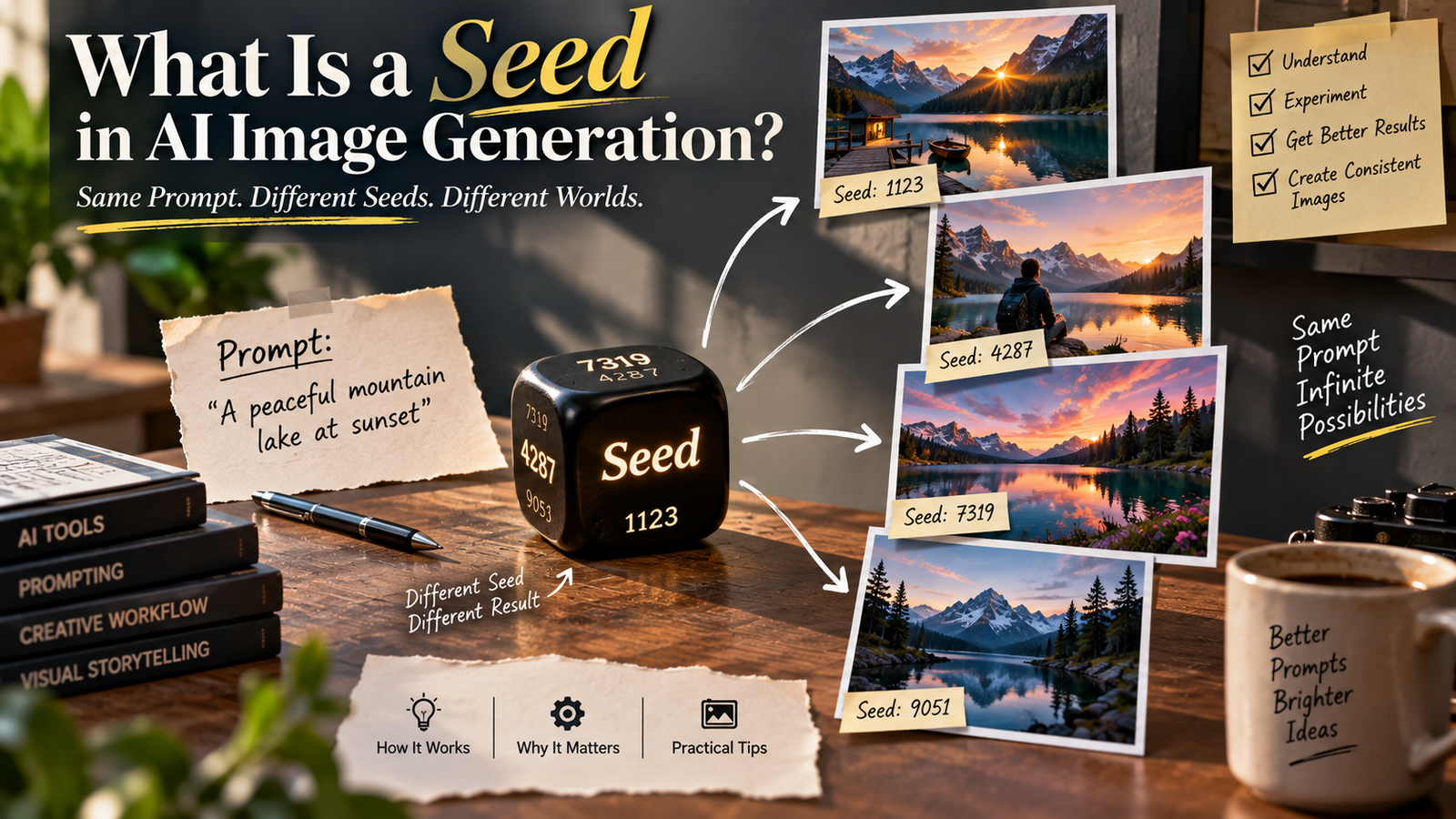
There’s another piece of the puzzle: generative processes can involve randomness.
So even when you use the same prompt, the model may produce variations.
You might get:
- Slightly different lighting
- Different background objects
- Different hair strands
- Different clothing folds
- Different composition
This is normal for generative systems.
If you want to understand this in more detail, read our article on why the same AI prompt gives different results every time.
What Happens When You Ask AI to Upscale an Image?
This is where many people misunderstand AI image enhancement.
Suppose you have a small photograph.
You ask AI to increase its resolution.
The output may contain more pixels.
But that doesn’t necessarily mean those pixels represent information that was originally captured by the camera.
The AI may generate additional detail based on patterns it recognizes.
For example, it may create a more defined-looking:
- Hair texture
- Skin
- Fabric
- Edges
The result can look better.
But the new detail may be an AI-generated estimate.
It shouldn’t automatically be treated as recovered original information.
More Pixels Don’t Automatically Mean More Truth
Imagine a tiny photograph of a person’s face where the eyes are heavily blurred.
Increasing the resolution doesn’t magically reveal the exact original eyes.
There simply isn’t enough information in the source.
AI can produce a plausible reconstruction, but that is different from recovering the original image.
This is a useful rule:
Resolution can increase the amount of image data, but it cannot guarantee recovery of information that was never captured.
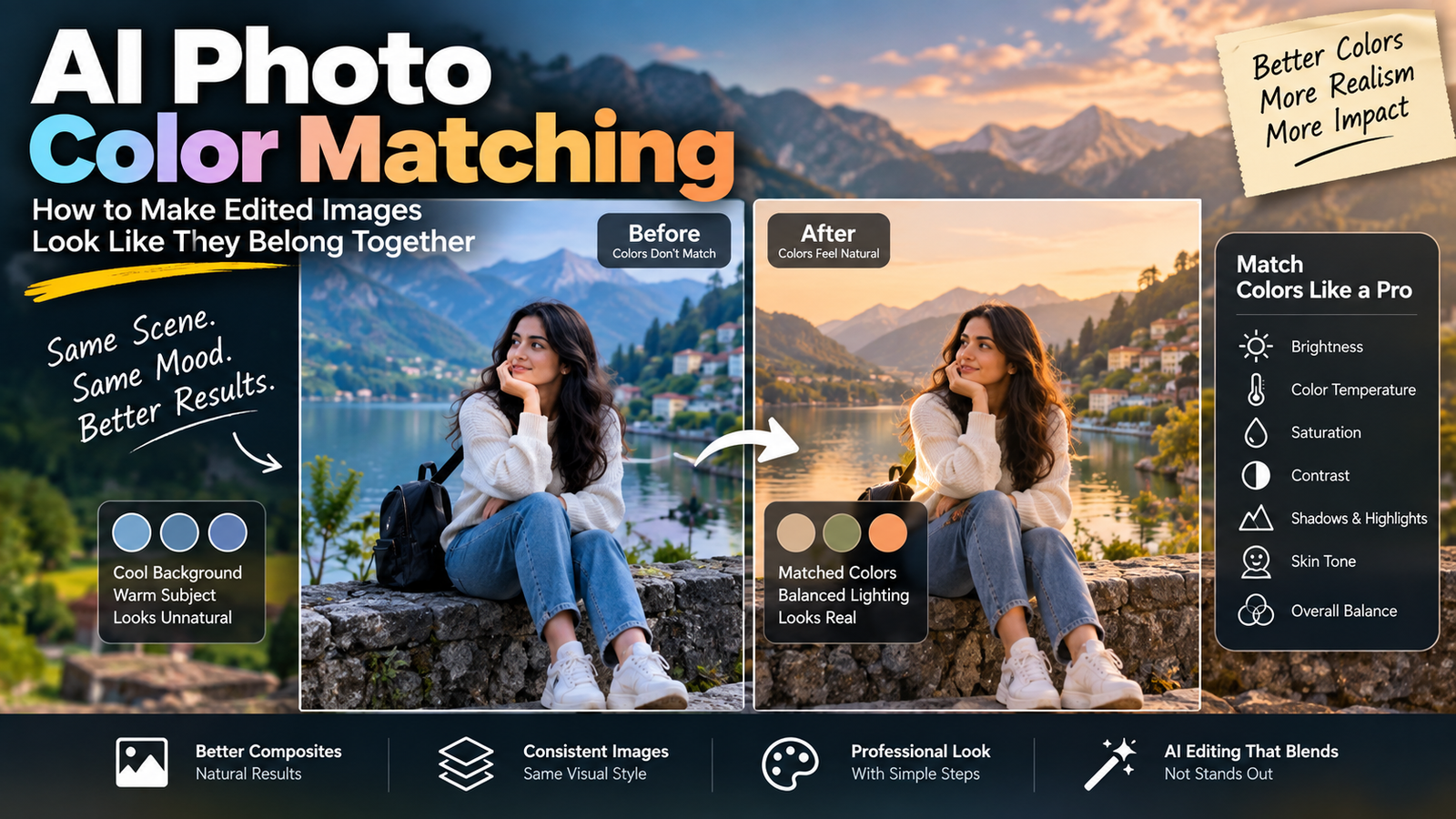
Why AI Sometimes Changes Colors During an Edit
Color isn’t just a property of one object.
It depends on surrounding light.
Imagine a white shirt photographed under warm evening sunlight.
The shirt may appear slightly yellow or orange.
If AI changes the lighting, it may also change how the shirt appears.
The model is trying to create a visually coherent image.
This is why a request to change one visual property can sometimes affect another.
Understanding the relationship between lighting and color can help you write more controlled editing instructions.
Why Shadows Matter
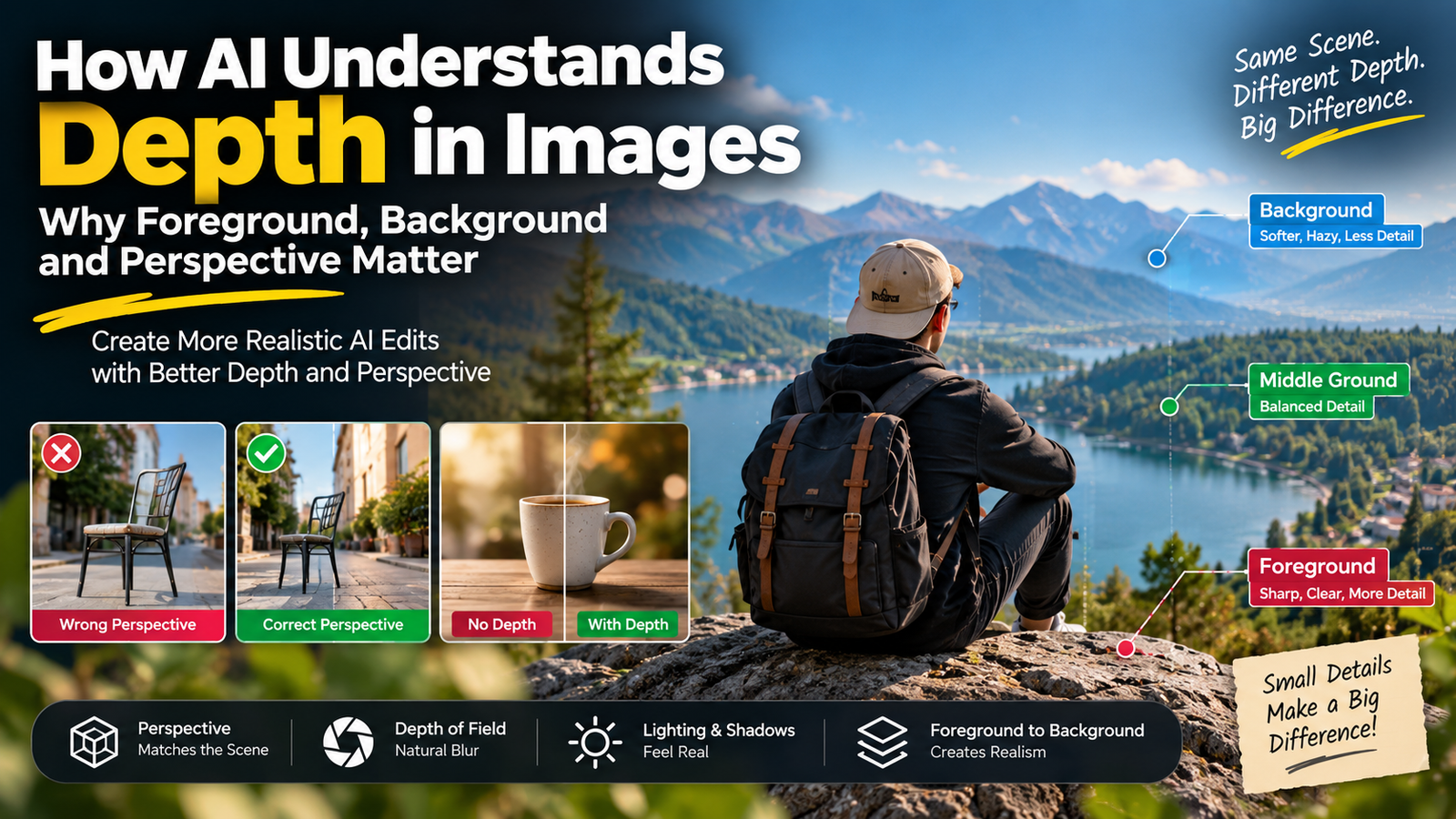
Shadows provide information about the three-dimensional structure of a scene.
They can tell us:
- Where the light is coming from
- How far objects are from surfaces
- Whether an object is touching the ground
- How the scene is shaped
If AI adds a new object without adding a believable shadow, your brain may immediately recognize something as wrong.
This is one reason realistic AI editing requires more than simply generating attractive objects.
The relationships between objects need to make sense.
Perspective Gives AI Another Constraint
Imagine placing a person inside a new room.
The person’s camera angle has already been determined by the original photograph.
If the replacement room has completely different perspective lines, the person may appear pasted into the scene.
AI tries to account for perspective using visual patterns.
But complicated scenes can still create mistakes.
This is particularly noticeable with:
- Buildings
- Furniture
- Roads
- Windows
- Tables
- Product photography
A visually attractive background isn’t enough.
It needs to belong to the same camera viewpoint.
Why AI Can Make a Photograph Look “Too Perfect”
Real photographs contain imperfections.
There may be:
- Slight lens softness
- Uneven lighting
- Natural skin texture
- Small shadows
- Minor noise
- Imperfect hair strands
- Tiny exposure differences
AI sometimes smooths these variations while creating an edited image.
The result can look polished.
But it can also look artificial.
That’s why realistic AI editing isn’t about making every element perfect.
It’s about making the new elements fit naturally with the imperfections of the original photograph.
AI Editing vs Traditional Editing at the Pixel Level
This also explains the difference between AI editing and traditional editing.
With traditional editing, you can tell software:
Modify these pixels.
With generative AI, you can effectively say:
Make this area look like this.
The AI then determines how to produce the requested result.
That makes AI faster for many creative tasks.
But it also means you give up some direct control.
We discussed this difference in AI photo editing vs traditional photo editing.
Why Selective Editing Is So Important
Suppose only the sky needs to change.
If you allow the AI to reinterpret the entire image, it has more opportunity to alter the subject.
If you restrict the edit to the sky, the task becomes narrower.
This is why selective editing can be so useful.
You are essentially reducing the number of things the model needs to reconsider.
The less unnecessary freedom the AI has, the easier it can be to keep the rest of the photograph stable.
A Simple Mental Model for Beginners
You don’t need to understand every technical detail of machine learning to use AI image tools effectively.
Think of AI image editing like this:
The photograph
Provides the visual starting point.
The model
Interprets patterns in the image.
The prompt
Provides your desired direction.
The generation process
Creates a new visual result.
Your review
Determines whether the result is actually acceptable.
That final step is important.
The AI produces an image.
You decide whether it makes sense.
Why AI Sometimes Needs More Context
Consider the instruction:
Make the background better.
“Better” means different things to different people.
The AI has to guess.
A more useful instruction might explain:
- What environment you want
- What lighting should remain
- What the subject should look like
- What should not change
- What kind of perspective is appropriate
The more important the decision, the more useful relevant context becomes.
This doesn’t mean every prompt needs to be extremely long.
It means the AI needs the information necessary to make the particular decision you’re asking it to make.
More Context Doesn’t Mean More Random Instructions
There’s a difference between useful context and extra words.
Useful:
Keep the original camera angle and replace the background with a softly lit modern café.
Less useful:
Beautiful, amazing, ultra-professional, extremely realistic, stunning, perfect, gorgeous café…
The second contains lots of adjectives but relatively little technical information.
Good prompting isn’t about making the prompt look complicated.
It’s about making your intended visual change clear.
Why AI Editing Can Fail Even With a Good Prompt
Sometimes you’ve written a perfectly reasonable instruction and the result still isn’t right.
That doesn’t necessarily mean your prompt is bad.
The problem could be:
- Poor source image
- Heavy blur
- Occlusion
- Complicated pose
- Low resolution
- Confusing composition
- Model limitations
- Conflicting visual information
This is why AI editing requires some judgment.
You need to determine whether the problem is actually the prompt or whether the photograph itself makes the requested change difficult.
The More Information AI Has, the Better It Can Reason About the Image
This doesn’t mean “use the biggest image possible” in every situation.
It means that useful visual information helps.
A clear photograph provides stronger evidence about:
- Edges
- Shapes
- Textures
- Lighting
- Objects
- Faces
- Clothing
A heavily compressed or blurry image removes some of that evidence.
That’s why starting with the original high-quality photograph is usually a better idea than downloading a compressed version from social media and editing that instead.
AI Doesn’t See Like a Human
This is probably the most important concept in this entire article.
When you look at a photograph, you bring real-world knowledge to it.
You understand that:
- A hand has five fingers
- A chair has four legs
- A wall should connect to the floor
- Light creates shadows
- Objects have physical dimensions
- Text consists of exact characters
AI has learned patterns related to these concepts, but it doesn’t experience the physical world in the same way a human does.
Its understanding comes from learned representations and statistical relationships.
That’s why an image can be visually convincing while still containing something physically impossible.
Why Learning the Basics Makes AI Editing Easier
You don’t need to become an AI researcher.
But learning a little about:
- Pixels
- Resolution
- Lighting
- Perspective
- Composition
- Color
- Image formats
- Visual anatomy
can dramatically improve your editing decisions.
Instead of blaming the AI whenever something looks wrong, you can ask:
What information was missing?
What did the model have to guess?
Did I give it too much freedom?
Was the source image good enough?
Those questions lead to much better results.
What This Means for Your Own AI Editing Workflow
When you upload a photograph for AI editing, try to think about the task before writing the prompt.
Ask:
What already looks correct?
Keep it.
What actually needs changing?
Describe it.
What information is missing?
Be careful about asking AI to reconstruct it.
What could accidentally change?
Add preservation instructions.
Does the final image still represent the original photograph?
Compare it.
This approach is much more reliable than simply asking AI to “make the image better.”
The Difference Between Editing and Creating
There is also an important conceptual difference.
When you generate an image from nothing, the model has to create almost everything.
When you edit an existing photograph, you generally want some information preserved.
That’s why editing requires a different mindset.
You’re not asking:
Create whatever looks good.
You’re asking:
Modify this specific thing while respecting everything else that already exists.
That distinction should influence how you write your instructions.
Final Thoughts
AI image editing becomes much easier to understand once you stop thinking of the model as a person looking at your photograph.
A digital image begins as pixels. AI processes those visual patterns and builds internal representations that allow it to recognize and generate things such as people, objects, environments, lighting and textures.
When you ask it to edit an image, it combines the information from the photograph with your instructions and generates a new result.
That’s also why AI can do something remarkable—such as creating an entirely new background—but can struggle with something that seems much simpler, such as preserving an exact hand, face, logo or piece of text.
The model can generate something plausible without knowing that it is historically or physically exact.
Once you understand that difference, AI editing starts to make much more sense.
And perhaps the most useful lesson for beginners is this:
Don’t judge an AI tool only by how impressive its best results look. Learn to understand what information the model has, what it has to guess, and what parts of your original image you need to protect.
That’s the point where using AI stops being simple trial and error and starts becoming an actual editing skill.